
Thx Psygnosis, but i already did that and i cant get it working idk why but i still get the API erros, i was thinking if this not accour becouse i have installed tuneup uttilities in my computer and this new tunep 2010 have a turbo mode on it and when i launch any game it start the turbo mode, maybe i will give a try to run it without have anything running on backgroud to see if i will get these kick by API.
Wolfenstein: Enemy Territory's compatibility to Windows7
Psygnosis
(Psygnosis)
#22
zbzero, I found this at PunksBusted. Maybe this could be part of the problem? I know it’s for another game but maybe this relates to your problem??
http://www.punksbusted.com/forums/index.php?showtopic=16717
If this link is not allowed here please delete it.
Psy.
P.S. I also found a command server side that if enabled you will be kicked for having Windows 7. Apparently if you disable the /pb_sv_restrictions “0” you will not be kicked from the server.The reason for this is that PB thinks that Windows 7 is Windows NT v4 don’t know why?? Here is what I found…
Quote from punkbuster:
(Note: Anyone still trying to play PB games running under Windows NT v4 is going to be considered restricted by default)
Quote from pbsvc.exe:
Starting PunkBuster Service Tests (v0.987) (05/09/09 18:15:36)
Checking OS
Windows NT 6.1 (build 7100) 32-bit
Hope that this works, I tried to find the problem after looking on google for a long time and these seem like the best bet.
hellreturn
(hellreturn)
#23
zbzero, I also suggest to file a ticket at EB.
http://evenbalance.com/troubleticket/new_ticket.php?game=et
@Psygnosis
pb_sv_restrictions is server side command if I am not wrong. It’s not client side.
More or less if any server is running with pb_sv_restrictions 0 it will spam their PB logs due to bug in PB. I had contacted EB like 4-6 months back. All they told me is it’s a bug and will try to fix it but it’s been 6 months and they still haven’t fixed the issue.
Psygnosis
(Psygnosis)
#24
Oh sorry hellreturn, I forgot to mention that. But your right I disabled it server side on my server and yes the logs filled up pretty quick… That is the only problem if you don’t have a server you cannot disable this option must be done by the server.cfg not the clients config.cfg. Thx for clearing that up hellreturn.
Psy.
system
(system)
#25
Howdy,
can someone tell me if it runs on 64bit Windows 7 ?
A guy on our server has a *x86.dll error …
I have no Windows 7 , just XP cause i dont need it until next year at least. Maybe someone can tell me how he runs in 64bit mode, i would appreciate it.
Thank you in advance,
Dutchman.
system
(system)
#27
Thanks Nail for your answer  but i really need a answer from one who uses Windows 7 64bit.
He got an error message from WolfET complaining about 32bit so i don’t know if Vista and Windows 7 are really comparable.
Psygnosis
(Psygnosis)
#28
ZBzero I tried a couple of things with my Windows 7 while playing ET, so far these are the results…
Playing ET with GameCam on = API error!! any version of ET
Playing ET with X-Fire = No problem
Playing ET while using X-Fire to record video = API error!!
Playing ET with asus osd = API error!!
Not sure about other programs that record game play while using Windows 7 OS but as you can see maybe Windows 7 needs to make a fix / patch for conflicts with GPU’s or graphics problems in general???
I also tried to use GameBooster this ran without a problem at all but every time I tried to record the game or adjust video settings I was kicked for API error…
Hope this helps some people to,
Psy.
zbzero
(zbzero)
#29
Thx for your help Psygnosis i will try that to see if ET runs good, i really apreciate your help man.
stealth6
(stealth6)
#30
2 people in my clan have installed windows 7 now and are both having a problem that they have 2 black bars on either side of the screen (full screen mode) of around 5cm width.
One got rid of them temporarily by updating graphics drivers, but the problem seems to come back after a while.
The other has just installed windows 7 today and is getting this problem on and off.
Anybody else encountered this problem or knows a solution?
zbzero
(zbzero)
#31
the problem of your frinds maybe not are becouse they run a custom resolution??
Tell them to check if they use r_mode diff them the default values ,if they have -1 tell them to check the width and height ( r_customheight / r_customwidth), if they are using a custom values they need check if the nvidia dysplay driver support the resolution they are using in their config.
Tell them to check if they use r_fullscreen in “1”. I have a monitor Samsumg 22" and i use 1152x864 resolution.
set r_customaspect “1”
set r_customheight “864”
set r_customwidth “1152”
set r_mode “-1”
My only problem is the PB kicks for API.
I use the screen of my monitor in the same resolution i use for et.
Just a note: i use this resolution to get the best refresh rate from my monitor and game.
Nail
(Nail)
#33
just what it says, aspect ratios are 4:3, 16:9
The aspect ratio of an image is its width divided by its height.
zbzero
(zbzero)
#34
Just for everyone knows if get same problem them me, I have uninstalled the Tuneup utilities 2010 and now my et work, this program add very good things and repair the windows 7 and othersold windows OS very good but have a turbo mode integrated and i can find a way to disable it. The problem is in that turbo mode this tool run in the background and when your comp run a game or something like that they change the settings of your comp to add more resources like classic visual style and other stuffs but running with PB this cause problems and kicked from servers. So if everyone have this program installed to solve your API kicks uninstall it.
Thanks a lot to everyone has posted and read this topic and help me to try solve the problems with Win 7.
Gimpsta
(Gimpsta)
#36
I had Rivatuner 2.2 on Vista 64-bit causing kicks for API errors
Latest Rivatuner 2.4 works fine with ET
Saadi
(Saadi)
#37
As it says you can enable your own resolution that is not in the Wolfenstein ET resolution settings (as 1024x768 and so forth)
set r_mode “-1” enables Widescreen in a way…
Until now are you able to play ET in fullscreen-mode in a widescreen resolution without problems in Windows7?
Would be interessting to know.
Edit:
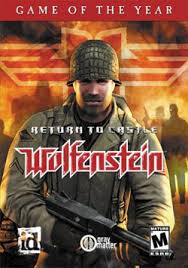
Does RTCW work with Win7 properly?
I just tested my vista PC with Windows 7 Upgrade Advisor and it complained that RtCW is not compatible with win7 so I have do deinstall it when upgrading to win7 … wtf??
Saadi
(Saadi)
#39
And does RtCW work well on Winows7 as the Win7 Upgrade advisor is saying the opposite?
Saadi
(Saadi)
#40
I just got the Win7 upgrade pack and installed it immediatly, its true what people say that its much faster than Vista … and W:ET WORKS!:

A big thank to PB for keeping their ET support up until now!