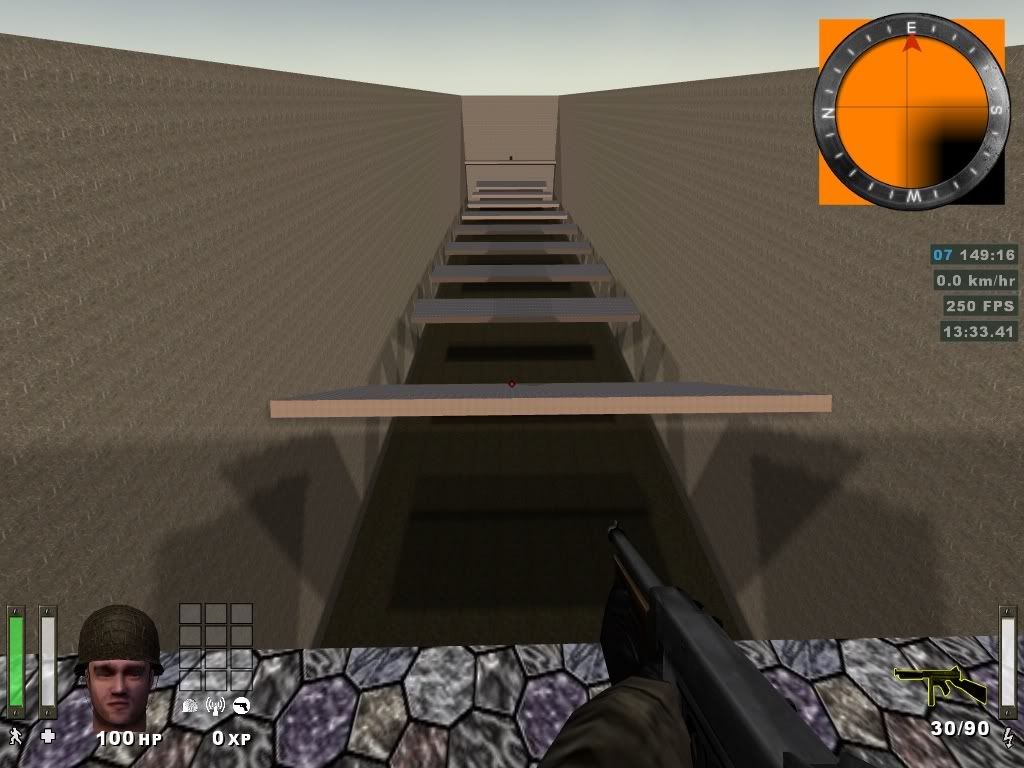
Too many shadows :D


(Boosted) #1

heya…
after i compiled my map with the -light switch i have shadows…well i wanted that ^^

but the problem is that i have too many shadows :slight_smile:
ill explain it like that.
i have a room with a sky and in the middle is a floating box.
when compiled with -light i will have shadows in all possible directions instead of one direction (opposite of the sun).
what im doing wrong?
or what do i have to do to fix it?

also, at some places the shadow is too intense, how can i make it “lighter”?

TIA!


(Flippy) #2

What are you using as your light source?
Without a light source, you won’t get any light. You might have some settings in the worldspawn that cause the lighting.
Most people use settings in the world spawn (check out goldrush for example) for the ‘normal’ outdoor lighting, and additionally they use light entities for the stronger lights that will also cast shadows.

Again, goldrush is a great example since it has both.

If you use a light entity, you can position it to be where the light source is going to be and your shadows should then render correctly.


(stealth6) #3

sound like he is using only a skybox texture on the ceiling for light


(Boosted) #4

yup, only using a sky texture (sd_siwasky to be exact).
not planning to make “complicated” lightning yet, isnt needed as its a tj map.

so i can change the shadow intensity with worldspawn settings?


(Diego) #5

Sounds like you just want to use a an entity light as flippy suggested. Just create a regular light and target it to an info_not_null entity. That will make it a spot light. Then I believe you give that light a key/value pair of sun/1.

You can then use ambient in your worldspawn to brighten the shadows. Once you do this, you will not need to use the sky shader to create light.


(S14Y3R) #6

in your worldspawn(select any non-entity brush) and use the ambient key, it must be used with _color. To figure out your color, press K to bring up the color picker window.

From worldspawn description:
“ambient” Ambient light value (must use ‘_color’)
“_color” Ambient light color (must be used with ‘ambient’)

An ambient 30 key/value will brighten up the dark areas, and _color 1 1 1 is white.

Edit- what Deigo said :oops:


(stealth6) #7

I just used ambient in my map lol since I just read it here and its really what I wanted so great!

But you said you need _color and something else aswell, but I just put in worldspawn key: ambient value: 10
and it works fine, so no coor or so… why the color?


(S14Y3R) #8

well, it says it needs both in the description of the worldspawn :stuck_out_tongue: I guess the default is white light :smiley:


(Boosted) #9

i do want a sky texture, do i still need a spotlight?
im gonna try it later :slight_smile:


(Diego) #10

YOu need the sky texture. But you have to modify the shader so that it does not emit light. You can use a sky shader to emit light and an entity light at the same time, but you will want to reduce the intensity of both so that your sunlight is not overbright.

I actually use 2 light emitting calls in my sky shader. One will be a low intensity version of they sunlight from the sun’s direction. This will soften the shadows cast by the entity sun so they are not quite so dramatic. Then I add a second light emission line in the same shader that will cast light in the opposite direction of the sun. This is usually very low intensity with some color that complements the sun light. By doing this, the shadow sides of my buildings are not a completely flat color.

But that technique is best if you test each aspect of the shader and enitty light separately before combining them.


(Boosted) #11

tried that today, simply cant get it to work :confused:
created both, linked them together entered the values and keys…nothing.
it would be enough if i could “tell” radiant/et where my sun is, then it would only draw the shadow in one direction, thats all i want :smiley:


(Diego) #12

Ah, my mistake. The Key should be:
_sun (not sun)

You can also use this key value in your worldspawn
_noshadersun / 1

Put that in your worldspawn and the compiler will ignore light created by the skyshader.

Taken from the manual:

http://shaderlab.com/q3map2/manual/

Entity sun support

Create a spotlight (a light targeted at an info_null) and add the key “_sun” “1” to it. The angle of the —>----> path will determine the angle of the sun, and the _color/light of the light entity will determine the color/brightness of the sun. To suppress q3map_sun in your sky shaders, add “_noshadersun” “1” to worldspawn.

new worldspawn keys, _minlight and _minVertexLight. These work like ambient light, using the worldspawn _color key to set a minimum lighting value (as opposed to base lighting value for ambient) for lightmaps or vertexes in the world. Good for brightening up totally black areas if necessary.


(Boosted) #13

nice, that was something i was looking for :slight_smile:

gonna test it later, thx for all the help :evil:

edit…

hmm, still wont work.

the _noshadersun does work i dont get any shadows from it anymore, but my “custom sun” doesnt.
not getting any shadows from it.
tried light values 100, 300 and 600.
no difference.
and my level has still normal lightning…shouldnt it be dark? :smiley:


(Diego) #14

Can you post a screenshot of your lighting and all the values you have in your worldspawn and your sun entity?


(Boosted) #15

sure…here u can find em -> http://s206.photobucket.com/albums/bb230/Boosted23/Mapping/


(Diego) #16

The entity setup looks correct. An ambient of 50 is pretty high though. Try a value around 10-20. I also wouldn’t use a sun value above 100. Maybe even try a little lower, like 75-90.

Are you getting any leaks when you compile? That would prevent the lighting pass from running at all. And post an image of the actual in-game lighting. I’d like to see what you are seeing.


(Boosted) #17

i only set the ambient so high that the sky doesnt give (much) shadows.
isnt that turned off with _noshadersun anyway?
map isnt leaking.
gonna set the values lower and will post up a screen.

edit…

lowered the values and now i get the messy shadows again :confused:
(sun 75, ambient 10)

-> http://i206.photobucket.com/albums/bb230/Boosted23/Mapping/shot0008.jpg


(Diego) #18

That looks like a shader sky illumination to me. Try this:
Assign your brick texture to the sky. If you entity sun is working, you should still have light. If the map comes out black, then obviously it is not.

Also, is that a custom sky shader? or one that comes with ET? The stadium lighting effect usually comes from a shader light, and the jagged edges are from too low a quality.

Here is a shader sample from the q3map 2 shader manual:


textures/shadermanual/sky
{
	skyparms textures/shaderlab_terrain/env/sky 1024 -

	q3map_lightImage textures/shaderlab_terrain/sky_clouds.tga

	q3map_sunExt 1 1 1 140 -35 25 3 16  //(red)(green)(blue)(intensity)(degrees)(elevation)(deviance)(samples)
	q3map_lightmapFilterRadius 0 8		//self other
	q3map_skyLight 100 3               //amount  iterations

	surfaceparm sky
	surfaceparm noimpact
	surfaceparm nolightmap
	surfaceparm nodlight

	nopicmip
	nomipmaps

	qer_editorimage textures/shaderlab_terrain/sky_clouds.tga

	{
		map textures/shaderlab_terrain/sky_clouds.tga
		tcMod scale 3 3
		//tcMod scroll 0.005 -0.0125
		rgbGen identityLighting
	}
	{
		map textures/shaderlab_terrain/sky_arc_masked.tga
		blendFunc GL_ONE_MINUS_SRC_ALPHA GL_SRC_ALPHA
		tcMod transform 0.25 0 0 0.25 0.1075 0.1075
		rgbGen identityLighting
	}
}

The quality of the shader can be increase in two places:
q3map_sunExt 1 1 1 140 -35 25 3 16 <— Change the last 2 values to 6 and 32.

q3map_skyLight 100 3 <— Change the last value to 6.

This will increase your compile time, but a trick jump map will not take that long anyway.

q3map_lightmapFilterRadius 0 8 <— This filters the stadium lights. I’ve never used this, but I you could play with higher or lower numbers than 8. But leave the 0 value alone. The idea is that you can use this parameter before having to increase the samples in the first two.


(Boosted) #19

its sd_siwasky.
ill try to use a normal texture and look if i still get that messy lighting, if not i may will try some different sky texture.
if that doesnt work either ill try to mess with the shader :smiley:


(Boosted) #20

hmm, just tried it…
textured the ceiling with normal wall texture and the light is gone.
so, obviously the entity sun aint working.
no clue why not :S

hmm, trying to edit the shader.
do i need to add the lines u gave me?
cuz i dont have em atm :oops:

textures/skies_sd/sd_siwasky
{
	nocompress
	qer_editorimage textures/skies_sd/nero_bluelight.tga
	q3map_lightimage textures/skies_sd/siwa_clouds.tga
	
	q3map_sun 0.75 0.70 0.6 135 199 49
	q3map_skylight 75 3
	sunshader textures/skies_sd/siwasunbright
	
	surfaceparm noimpact
	surfaceparm nolightmap
	surfaceparm nodlight
	surfaceparm sky
	
	skyparms textures/skies_sd/wurzburg_env/sky 512 -
 
	{
		fog off
		clampmap textures/skies_sd/siwa_mask.tga
		tcMod scale 0.956 0.956
		tcMod transform 1 0 0 1 -1 -1
		rgbGen identityLighting

	}
}