
Q3Map 2.5.8 - Sundrop
Win32 (x86) - Linux (x86) - Darwin/Mac OS X (PPC) (2.3.36) - Readme
Lots of fixes and bits in this release. The illest (major) new feaures are light jittering for penumbra (half-shadow) effects and per-shader and per-light lightmap filtering.
Screenshot of penumbra effect, using the following shader directive:
q3map_sunExt 0.95 0.99 1.0 120 60 30 2 16
The additional two numbers at the end are deviation in degrees (2) and number of random jitters distributed over the solid arc (16). This gives you much more realistic shadows from the sun, especially when trying to simulate a cloudy day or a wide sun. Generally values up to 2 or 3 degrees are acceptable. The real sun has a solid angle of about half a degree.
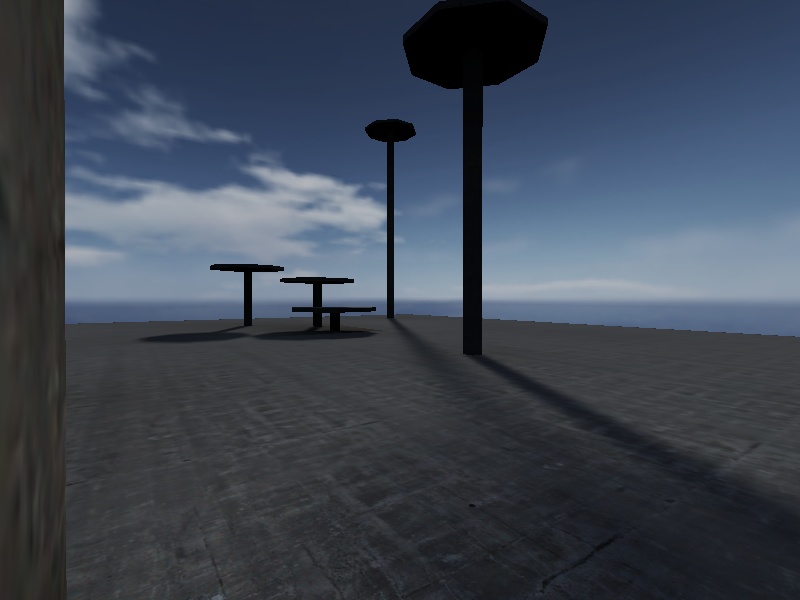
The penumbra effect can be applied to entity lights (point, spot, and sun) with these new entity keys:
"_deviance" "N" -- where N is distance in world units for point/spot lights and degrees for suns
"_samples" "N" -- where N is the number of samples
The sun in the screenshot could be done using an entity sun with the following key/value pairs targetting an info_null with targetname “sun_target”:
"classname" "light"
"_sun" "1"
"_color" "0.95 0.99 1.0"
"light" "120"
"_deviance" "2"
"_samples" 16"
The other big new feature is shader-controllable lightmap filtering. The old -filter command still works, but it can be overridden (and is in fact reimplemented) using new code. Add the following to your light-emitting shaders to use the effect:
q3map_lightmapFilterRadius 0 16 -- no filtering for self, but light it emits will be filtered across 16 world units (default lightmap sample size)

q3map_lightmapFilterRadius 64 0 -- filters itself quite a lot (64 units) but doesn't filter any light it casts
If you use q3map_skyLight in your sky shaders, I recommend using q3map_lightmapFilterRadius 0 64 to blur out the “stadium lighting” artifacts.
Entity lights can also specify lightmap filtering using the “_filterradius” key:
"_filterradius" "32" -- will filter lightmaps created by this light by 32 world units
Version history/changes:
2.5.8 (2003-10-02)

- New: Added two new sun parameters: angular deviation (width of the sun in
  degrees) and sampling count (jitters). This allows for decent approximation
  of penumbra "half-shadow" effects from sunlight with 16+ samples. These
  parameters are accessible for entity lights (including spots and suns) via
  these entity keys: _deviance and _samples. To use in shaders, use the new
  q3map_sunExt <r> <g> [b] <brightness> <angle> <elevation> <deviance> <samples>
- New: q3map_lightmapFilterRadius <self> <other> for light-emitting shaders.
  Put *after* any q3map_sun directives or else your sun will be filtered. This
  is good for eliminating the "stadium lighting" effect from q3map_skyLight.
  Also usable as an entity key: _filterradius or _filter
- New: Quake 2 MD2 model support in PicoModel for misc_model entities
  (thanks to Nurail!)
- Re-enabled vertex-cache-aware triangle reordering. Will probably have a
  negligible effect on rendering performance, but can't hurt
- Added short-circuit to raytracer: any empty nodes (including children) are
  ignored on sun traces
- Added BSP file size printout
- Filtering of any kind now disables adaptive supersampling on a per-light,
  per-ightmap basis
- Fixed another _minlight <-> styled light interaction bug (thanks pjw!)
y
 thx ydnar, you’re the coolest

 )
)