
Q3Map 2.5.5-test-6 (lightstyles)


(ydnar) #1

Got lightstyles (dynamic/blinking/flickering lights) working with vanilla Quake 3 and RTCW.

Short how-to:

  1. Add a “style” key to any light entities you want to be styled. Use a value between 1 and 31. You can also use q3map_lightStyle N on light-emitting shaders to have them emit styled light.

  2. Add “_styleNrgbGen” and/or “_styleNalphaGen” where N is the style number keys to the worldspawn entity. Look at the Shader Manual for more documentation on rgbGen/alphaGen.

  3. For any shaders that may be hit by a styled light, you’ll need to add q3map_styleMarker after the lightmap stages, before the texture stages so Q3Map2 can properly create the fake lightmap stages. For masked textures where a depthFunc equal is required, add q3map_styleMarker2.

  4. Compile your map with Q3Map 2.5.5-test-6 or later. Be sure to use the -nocollapse switch in the -light phase. This is important, because styled lights generate shaders, and this minimizes the number of unique shaders.

Gotchas:

  • Shaders with lightmaps after texture passes will look odd. This may change in the future. Try to rearrange your shaders, if possible, to have lightmaps first.

  • Only lightmapped surfaces are affected by styled lights. Lightgrid (dynamic entity lighting) and vertex lighting (misc_models). are not. Use light_junior entities near styled lights to give your entities a decent average lighting value.

This functionality has been there for SOF2/JK2 support (they have native light styles) for a while, and this just brings the nifty feature to Quake 3/RTCW mappers.

Oblig demonstration map + bsp screenshot:
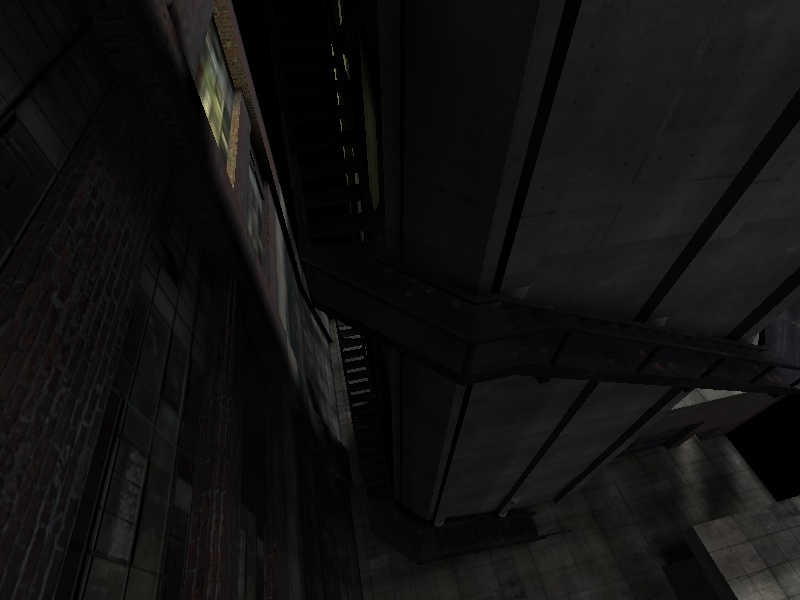
Cheers,
y


(system) #2

:clap: Great Work. :clap:


(Hewster) #3

Nice… I can think of at least 1 team that will be excited about this
development :smiley:

Hewster


(UniKorn) #4

:banana:


(TheJediYoda) #5

cool n1!!!

Good stuff!! :slight_smile:

I have found something ooO_oeer tho…

when i compiled to try using the styles this happened:

so naturally i compiled again without style and using a the same compile string as i used previously under 2.5.4 (-meta, -light -fast -samples 2 -thresh 0.25) and it still happen, so i went back to 2.5.4 to rule out any messed up brushes and it compiled fine…

i thought i’d just let you know… even tho this is just a test ver

albeit blumming awesome feature! \o/


(LordDaimos) #6

Haven’t tried to compile anything yet but i was wondering how this affects on compile times? Will it have to recalulate a new lightmap for each lightstyle used or is it just done using ydnar magic? Lovely feature anyway :banana: !

/LordDaimos
http://lorddaimos.railbait.com


(LaVaGoD) #7

I am kinda lost on what Lightstyles are. Can Ydnar explain or someone?

Edit: I see now it says Flicking lights and stuff but maybe so more into detail.


(onu) #8

The best example would be to load up Quake 2 and take a look. Basically light styles are variations on the lights on or off state. One style might be for the light to stay on for 5 seconds then turn off for 5 seconds before turning back on again. It can also be partially off. This can make environments look far more realistic. For instance, if an entire room is being lit solely by a fire, well, it’s not going to look very realistic if the light is steady. Even under the most ideal conditions a flame will flicker somewhat, and the light eminated by it will reflect that.

Another example of what you could do with light styles: Have a ceiling lamp that’s usually suspended by two wires be cut on one side, so that the ceiling lamp is hanging down. You could have the shader for the light itself appear to flicker on and off very eratically, and now with ydnar’s light styles the room would flicker with it.

Hope that explains some things.


(ydnar) #9

Is that the stargate map?

Are those erroneous triangles coming off the sides of the wheel?

Is everything in that screenshot made of brushes?

Did you vertex/edge edit rather than use the clipper tool?

I’d say it’s likely a malformed brush. Does the BSP phase complain at all?

y


(Matt) #10

GOOOOOOOOOOOOOOOAAAAAAAAAAAAAAAAAAAAAAAAAAAAAAAAL!!!

THANK YOU YDNAR. I’ve been waiting for this for a long time. I’m so happy, that I actually want to begin mapping again. There are so many places on old maps where I wanted to do this but couldn’t.


(-=skOre=-) #11

…Still stunned, awesome job ydnar, must have been a hell of a load of work

bows down before yd


(Matt) #12

[b]YDNAR…

Is it possible to make the lights timed, so if I had two lights with the same styles applied, I can put in another key to make them not be on at the same time?

Like, for example, a long hallway with lots of lights, and the lights turn on and off like 1 2 3 4 5 6 up the hall, and only one light is on at a time…

Sort of like on Star Trek when it’s red alert and the lights do a MARQUEE effect down the hall…[/b]

tcmod?


(ydnar) #13

You can do anything you want with rgbGen/alphaGen. They control the light values.

Keep in mind you have up to a maximum of 3 styles + 1 static style per surface.

y


(Matt) #14

This is just ridiculous. Thanks for reinventing how I map!

BADASS.


(4days) #15

bloody hell, nice one ydnar :slight_smile:

[greed]
sorry if it’s a daft question but is there any way this could be used as part of a triggered shader?
[/greed]


(Matt) #16

There’s an idea… You could have a ‘power outtage’ or something happen where the lights flicker insanely after ‘the bomb hits’ or whatever you want.


(Lanz) #17

WOW!!

/me is impressed

I’ve wanted this since the relase of q3, very nice work ydnar!


(U.S.S. Speed) #18

Sound great.

Let me try to understand…

When you add q3map_lightStyle N on your shader, Q3Map2 tag it has a light style. So, N is a variable you set yourself?

And me thinking at first it was a pre-set light style. :slight_smile:

This thing will raise the size of the .bsp by adding new lightmap, no?

Still pretty cool. I was doing that effect but “manually”. Painfull.
Seam it will be fast as hell to do it now.

Really cool.

(BTW, just compile 2.5.5 for OS X, and it seam to work great, no bug so far.)


(Matt) #19

I did a test room with a lot of different brushes and one large flickering light and I didn’t notice much of a difference between the normal and the new styles version as far as fps goes.

I’m on a GeForce1 video card, and I think it’s safe to say that I can ignore r_speeds and all that crap, and as long as I produce a nice looking map that gets at least 125FPS in all places on my machine that it will run just as good for everyone else.

I think people should not abuse the light styles by making a map that looks like a rave party or whatever because it’s sort of pointless. This command is nice but should only be used (in my opinion) as it is in the example map… As a compliment to the static lightmaps. Be frugal with it!


(LordDaimos) #20

I’ve successfully compiled with the light styles i’ve already asked alot of stupid questions to ydnar about it.
This morning i tried to do a compile with some bouncepasses and it got stuck at the first stage right after displaying the count of diffuse surfaces. Can this have anything todo with me having 225 custom shaders created because of the lightstyles or is it a bug of some sort?

/LordDaimos
http://lorddaimos.railbait.com

Phear the dancing banana! :banana: