
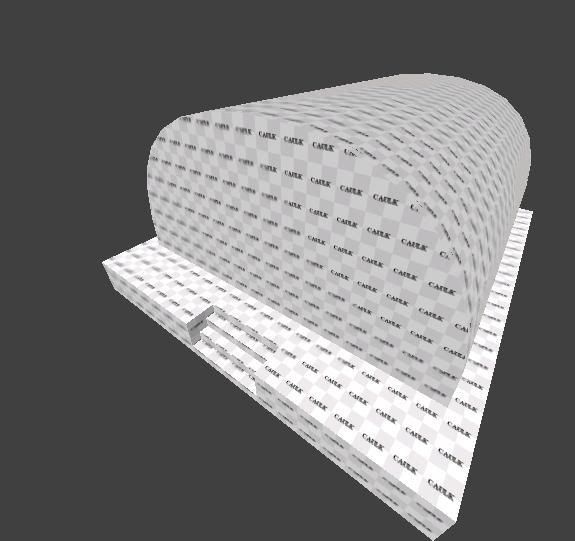
Well basically I’m trying to put a doorway into a semi circle shaped building… Is there any way to cut out a piece of a bevel, or will I have to find another way?
Doorway in a bevel


Kreator
(Kreator)
#3
woah, that looks pretty bad ass man… good idea too. The only thing is, I’m more just screwing around and learning how to do stuff than actually making a map at the moment, and this is just something on my mind… Plus its going for more of a barracks-ish approach, and soldiers usually walk out of the front door :lol:
thanks for the idea though, that map looks awesome
Jecoliah
(Jecoliah)
#4
As far as i know you wont be able to do that with a patch that you put on the bevel as a cap.
You can use multiple patches to create an opening or you could use normal brushes but those brushes would have to be cut up into a Bunch of little brushes to go along the contour of the Bevel and would take a lot of time and it would be difficult to get it to line up.
You can create a simple patch mesh and manipulate the Vertices’s to align with the Bevel.
It would take 3 patches, 2 on each side up to where the door starts and one above the door.
Jec
Flippy
(Flippy)
#5
Or you can do this:

I dunno if the bevel (blue) runs all the way to the floor? if it does just raise it up to the level of the height of a door, then create two normal brushes (red) and your opening is created 
Kreator
(Kreator)
#11
Oh thanks flippy… Hah as I went to sleep I was thinking of how to do it, and I thought of something similar. Rather than making the bunker higher, I thought I would just make it wider, and put the doorway underneath the brush, rather than beside 2 of them (if that makes sense :P)
CooperHawkes
(CooperHawkes)
#12
There will be two T-joints: one at the upper left and one at the upper right corner of the door opening, respectively.
If it should be possible to actually enter the “hangar” then using patches is not a good idea IMO, because the walls will be thin like paper. Of course you can create “thick” patches, but at what cost? IMHO it is easier to create such a structure out of brushes.
BTW: patches do not block VIS.
[EDIT] If you really insist on using patches, then you can achieve such an opening by using a 9x3 patch mesh, which is somewhat wrapped around the door.
sodsm_live
(sodsm live)
#13
i agree with cooper somewhat. you can make the entire building out of about 50 brushes with no t juncs(i made a farm barn shell prefab which is a very similar design to a D-type hangar).
if you need to use a patch for the roundness then just make the hangar out of brushes with the roof having a simple half octagon type angularity. make sure the roof is caulk texture, then slap a curved patch on top of it. you could then cap it with an endcap and leave the top parts of the front and back caulk as well.


 [/img]
FireFly
(FireFly)
#15
Ifurita wrote a small tutorial about tjunctions : http://www.splashdamage.com/forums/viewtopic.php?t=11948
CooperHawkes
(CooperHawkes)
#16
What makes it even worse in this case: AFAIK q3map2 does not retesselate patch meshes to resolve the T-junctions, only brushes are retesselated… Therefore, a T-junction stays a T-junction… which is a very bad thing because it will result in small, but still visible gaps/cracks in your wall.
PS: Actually, this is not q3map2’s fault… patch meshes are tesselated on-the-fly, depending on the distance to the player… thus, it is nearly impossible to resolve this problem during rendering.
Flippy
(Flippy)
#17
I still don’t know what’s so bad about my idea… not saying i dont agree with you! just don’t understand it…
How the fuck would you place a wall on a flat piece of floor then… doens’t that create a t-junction too? (it’s what im suggesting here so…)
SCDS_reyalP
(SCDS_reyalP)
#18
Q3map2 automatically creates t-junction vertexes for brushes, so just about anything made of brushes is fine. It cannot do this for patches, so you have to ensure that any patches that butt up against brushes don’t form a t-junction.
This is more difficult than it looks at first, because patches have dynamic LOD (meaning the number of vertexes is decided at run time) unless you use -patchmeta. Even if you use -patchmeta, the number of subdivisions used by the compiler and editor may not be the same.
You can still build all kinds of shapes mixing patches and brushes, but you have to pay attention to how the game tessellates patches, so it won’t be creating them along edges shared with a brush.
You should be able to find some tutorials on correctly building with patch meshes for Q3/RTCW/ET with a bit of googling. I’m sorry to say I don’t have any links handy.
Ifurita’s t-junction tutorial that was linked in this thread is about optimizing brushwork, rather than dealing with patches. That is a different topic.
Flippy
(Flippy)
#19
AHhh i get you now… i thought you were talking about the brushes and the floor…
So what happens if you use ‘my’ method?
CooperHawkes
(CooperHawkes)
#20
I had some time left yesterday, so I created 3 differently modeled fronts of a hangar:
The first picture shows Flippys method, a patch mesh (bevel) on top of two brushes. The red arrows mark the T-vertices, i.e. these two vertices are not used by the triangle directly above, or in more informal words: a vertex meets an edge. This can lead to visible cracks due to rounding errors on the graphics card.
The second picture shows a brush prism with 16 sides (15 sides form the round shape, 1 long side at the bottom) which is placed on top of 2 ordinary brushes. In GtkRadiant you have T-vertices at the very same place as in picture 1. Fortunatly q3map2 - being a smart piece of software - takes care of this and automagically adds the needed vertices and does a quite nice triangulation/tesselation.
The last picture shows a manually tesselated solution. This is the most tedious variant, but it ensures that you keep total control over the final result. In this case it does neither lead to a better nor a worse result… both variants (2nd and 3rd picture) contain 20 triangles and don’t have any T-vertices.
