world lighting problem


(pigg221462) #1

i’m trying to make a night map i have a night sky from radar and i got the ambient set to zero but the map is still bright i can’t figure this out it looks like the terrain is lighting the map. this is my terrain shader
textures/wodan/terrain
{
// standard terrain shader stuffs:

qer_editorimage textures/wodan/rock.tga
q3map_nonplanar
q3map_shadeAngle 179
q3map_tcGen ivector ( 512 0 0 ) ( 0 512 0 )
q3map_tcMod rotate 33
q3map_lightmapAxis z
q3map_lightmapSampleOffset 8
surfaceparm landmine
surfaceparm grasssteps

// this means dot product squared, for faster falloff between vertical and horizontal planes:

q3map_alphaMod dotproduct2 ( 0 0 .85 )

// mapping stages:

{
map textures/wodan/dirt.tga
rgbGen identity
}

{
map textures/wodan/rock.tga
blendFunc GL_SRC_ALPHA GL_ONE_MINUS_SRC_ALPHA
alphaFunc GE128
rgbGen identity
alphaGen oneMinusVertex
}

{
map textures/wodan/grass.tga
blendFunc GL_SRC_ALPHA GL_ONE_MINUS_SRC_ALPHA
alphaFunc GE128
rgbGen identity
alphaGen vertex
}

{
map $lightmap
blendFunc GL_DST_COLOR GL_ZERO
}
}

textures/wodan/terrain2
{
// standard terrain shader stuffs:

qer_editorimage textures/wodan/sand.tga
q3map_nonplanar
q3map_shadeAngle 179
q3map_tcGen ivector ( 512 0 0 ) ( 0 512 0 )
q3map_tcMod rotate 33
q3map_lightmapAxis z
q3map_lightmapSampleOffset 8
surfaceparm landmine
surfaceparm grasssteps

// this means dot product squared, for faster falloff between vertical and horizontal planes:

q3map_alphaMod dotproduct2 ( 0 0 .85 )

// mapping stages:

{
map textures/wodan/dirt.tga
rgbGen identity
}

{
map textures/wodan/rock.tga
blendFunc GL_SRC_ALPHA GL_ONE_MINUS_SRC_ALPHA
alphaFunc GE128
rgbGen identity
alphaGen oneMinusVertex
}

{
map textures/wodan/sand.tga
blendFunc GL_SRC_ALPHA GL_ONE_MINUS_SRC_ALPHA
alphaFunc GE128
rgbGen identity
alphaGen vertex
}

{
map $lightmap
blendFunc GL_DST_COLOR GL_ZERO
}
}

and this is my worldspawn keys
ambient 0
_COLOR 0.8 0.9 1.0
_FOG textures/skies/sd_batteryfog
mapcoordsmax
mapcoordsmin
classname worldspawn

please help me i’m stumped i just want a dark map


(pakalatak) #2

If you have a terrain, I fancy you have a skybox ? In that case it could be your sky shader that emits light :smiley:

sorry if this is totally stupid


(Chruker) #3

Have you done a light compile?


(Flippy) #4

^^^
that was my problem too the first time lol
if you don’t compile with light you get everything 100% lit afaik…
and ofcourse your skybox will probably emit light like pakalatak said


(pigg221462) #5

well i have been compiling it with this (test) bsp -meta, -vis -fast, -light -fast -sample 2 -filter. just for testing to see my changes. i used this before i changes my terrain shader from the old school meta shader crap to alpha map to this new dotproduct2. but with the old way of doing terrain the map looked the way i wanted it to dark. but i do not want to use the old apha map terrain crap because the dotproduct2 looks a lot better and is way easyer. oh ya and i’m not using a sky box thing don’t know how to do that just using the radar sky texture on the big strucual square that is around my map. when i see sky box i think of the little tiny box off to the side of the map with the terrain model inside with the skyportal enity


(Chruker) #6

Can you make a screenshot of it. It might help.


(pigg221462) #7

ok got screen shots look at the differance between the terrain and sky pics may make it look kinda dark but it really isn’t oh and i took a map that i finished already (wodanfires assualt) made it dark compiled it using same comile sting i use above and it was really dark. then on that same map i changed the terrain shader to my dotproduct2 shader and now it isn’t dark anymore

http://i49.photobucket.com/albums/f269/pigg22/2006-05-14-202717-Wodansretreat.jpg


(Diego) #8

Looks like you have light and shadow working on your terrain just fine.

Hmm, just noticed this in your worldspawn:

_COLOR 0.8 0.9 1.0

Never used that before, could be adding light on top of the values set in your sky shader. Try removing that from your worldspawn, or reducing it down.


(]UBC[ McNite) #9

The _color works together with ambient. As ambient is set to 0 it doesn’t have any effect.

Check the shader for the radar-sky for its light emitting values and disable them for a start.

Just on a sidenote: NOBODY likes to play in a pitch black map. You will need to illuminate your map in some way to a degree where u can see the terrain well. Check Radar or Goldrush: both are night maps and none of them is really dark.
And I d say you can’t go without a decent value of ambient, because it makes a basic lighting. If you go without it, you ll have corners and areas where u don’t put lights in manually which will be totally dark, and that s just crap for gameplay. FPS are a game where you want to shoot the bad guys… so you NEED to be able to see just enough to actually aim at them.


(pigg221462) #10

ya i know the map can’t be totally dark but i was having the problem with getting it dark with ambient set to zero the map looks like fueldump but with a dark sky you can see really well. but i found the problem the sky texture and fog affect the dotproduct2 terrain differant then the old school terrain so i had to change the light values of both


(]UBC[ McNite) #11

Just another sidenote: fog affects FPS real seriously. Either you have a pretty good VIS blocking system or you might run into trouble with fog. Maybe design the map without fog first, and when u r done, check out what happens when u put fog in. The adjustment of light settings to adapt them to fog is easy.


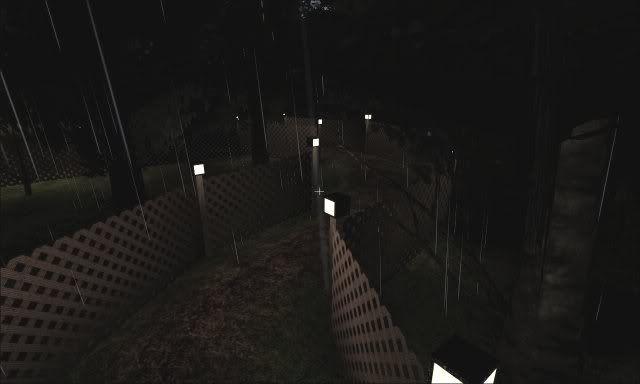
(sodsm live) #12

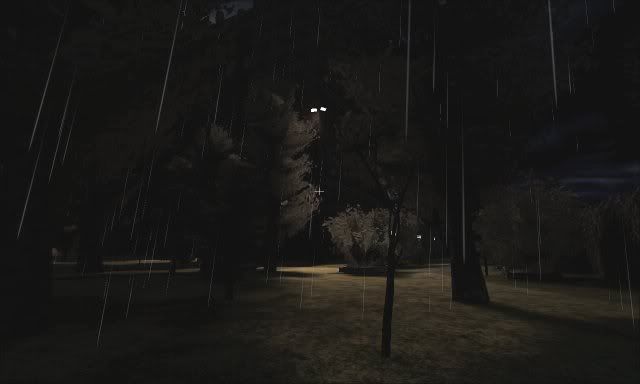
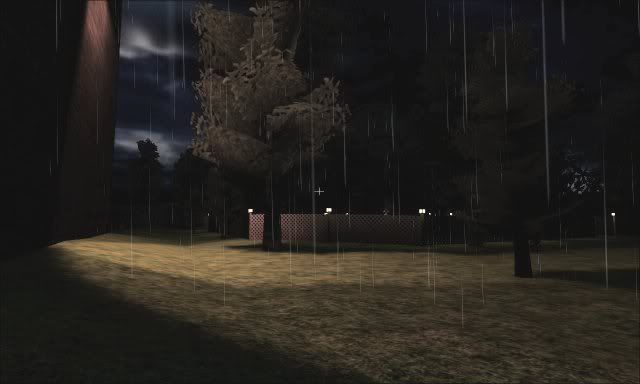
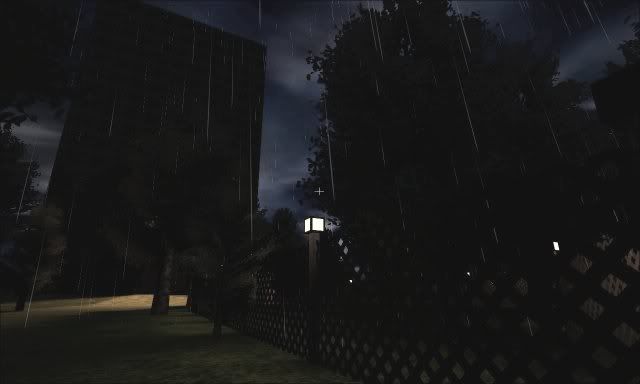
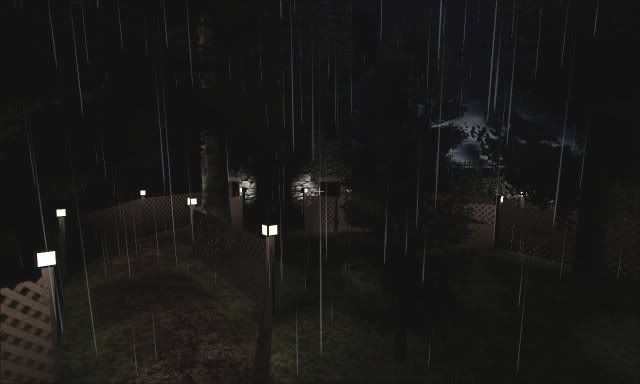
here’s a few shots of my outdoor night map in progress(no ambient, no minlight, q3map_skylight 15 3 in my sky shader with off white for color):


had to brighten the pics a little cuz of the screenshot darkening effect and what not.

i’ve got no problem with areas of pure darkness, it’s a personal preference. i do have a problem with maps that have light everywhere. not referring to fullbright non-light compiled maps but maps with shadows that are almost every bit as bright as the rest of the world.


(Chruker) #13

sodsm live:
Wow, the first shot looks great.
Anyway. Are you using the standard alpha map terrain method?

pigg221462:
From my experiments with the dotproduct texturing I have this lightmap stage. It is the same that Sock’s uses in his terrain article.


   {
      map $lightmap
      blendFunc GL_DST_COLOR GL_ZERO
      rgbGen identity
   }

It differs from yours. Maybe that is it.


(sodsm live) #14

chruker, thanks. i’ve been very hesitant to show any of the work i’ve done because there are so many great maps and mappers here that i don’t want to look foolish for trying. i don’t have any engine or compile-time blending of terrain in at the moment. the raised woodchip path trough the forest(park) are patches with handblended textures i did in the GIMP. the forest floor and outlying areas are a single custom texture(only made a shader for landmine purposes). i was relying on light and shadow to do most of the work of making the terrain look natural.

making the path out of patches definitely made the texturing easy but it was a major pain aligning them properly over the gently sloping underlying terrain. also a pain to configure them so they didn’t act funny when a player moved over them(such as sinking in to the ground to his ankles, grenades and landmines dissappear into it, phantom clipping at curves). i have decided to scrap the idea of patches for the path since i finally figured out alpha fade brushes. it may be easy for some people but i just couldn’t get it through my head. also my frames dropped to the 120s from all the patchwork.

the alpha fade brushes are perfect for this terrain. there are alot of trees and rain so it will be simple to thin and blend the grass directly under the trees with more dirt-like terrain. in the open areas it will be just as easy to make the grass darker and more saturated with water.

i didn’t mean to take up so much of this thread. i just wanted to show the original poster that dark areas are possible as long as it’s not a pitch black maze that the player gets stuck in. always make sure to give the player some point of reference that’s not too hard find his way out. gimmicks like a pitch black maze could add to gameplay by making the payoff of finding your way through it well worth it to the team such as a strong forward spawn, an almost invulnerable sniper or mortar position or even a shortcut to a primary objective.