
Weird black lighting artifacts


(Violator) #1

Been having this problem for a while now, and can’t find a solution :frowning:

Basically when I light a map I’m getting these weird black bits -
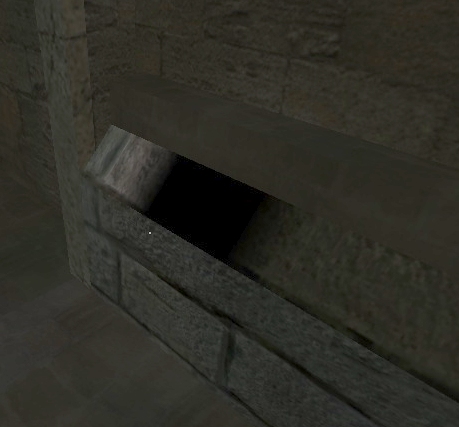
In the 2nd shot, I’ve attempted to place a light under the model but it doesn’t seem to make a difference…

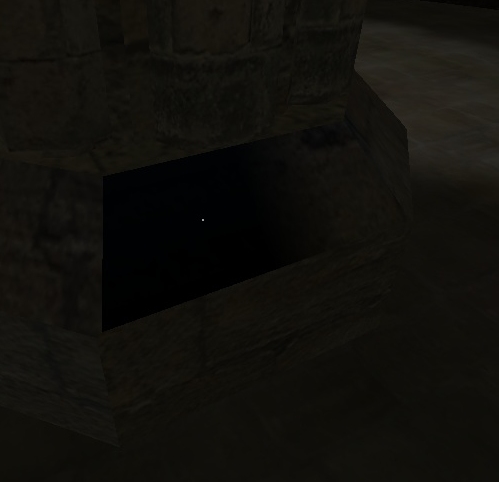
I’ve tried all sorts of settings but nothing seems to fix it :frowning: Here are the lighting settings I’m using in worldspawn -

ambient 10
_minlight 8
_color 0.8 0.8 0.7
_minvertexlight 8
_mingridlight 8

Here are the build params (I’m using q3map2toolz to build) -

q3map2.exe -meta -game et
q3map2.exe -vis -game et
q3map2.exe -light -patchshadows -samples 3 -game et

(macbeth) #2

ask Marko maybe?
http://www.gamedesign-online.com/


(nUllSkillZ) #3

Which version of q3map2 are you using?


(Violator) #4

I’ve posted the Q on his forum -

http://www.gamedesign-online.com/forums/viewtopic.php?p=2140#2140


(Violator) #5

Hmm it doesn’t have version info, but its timestamp is (UK) 20/12/2003 20:43. I will hunt for a newer version :slight_smile:

Right, I found a version 2.5.16 (is this the latest?) - I rebuilt and there are less black splots but they are still there (just in different places…)

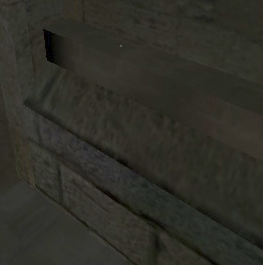
Here is how the 1st screen above renders now -


(Shaderman) #6

2.5.17 is the latest but nothing changed regarding Q3 based games like ET. Tremoulus and Warzow support was added, that’s the reason for the version change :slight_smile:


(Violator) #7

cheers, so the version I have now should be ok.

The other thing I’ve noticed is that compiling with q3map2toolz, no lm_000x.tga lightmap files are created (unlike a compile from radiant itself). Could this be a problem?


(RayBan) #8

sounds like your lightmaps are being compiled into the bsp, and not external

adding -external to the light stage of the q3map2 compile will create
the lightmap folder and subsequent lightmap images.

so try
q3map2.exe -light -external -patchshadows -samples 3 -game et

also, you can add
gridsize 128 128 128 to your worldspawn which should help get rid of the
black artifacts you see, especially on player models, on some custom
maps you can see in certain area’s the players are all black even in a lit
room.


(Detoeni) #9

so try
q3map2.exe -light -external -patchshadows -samples 3 -game et

Also add “-fast” or :banghead:


(Violator) #10

Thanks for the help peeps :slight_smile: forgot about -fast… -external seems to have helped the lightmaps, but I’m still getting random black stuff (plus some other weird colours sometimes) every time I compile :frowning: Could be my drivers as Brevik has suggested here -

http://www.splashdamage.com/forums/viewtopic.php?t=16355


(Darkfrost) #11

I had this problem, but it was because my map was using lightmaps from a older complie in.

Try deleting all the lightmaps, and any old pk3’s of your map (Unless you change bsp name from version to version)


(ajdude) #12

QERadiant seems to having probs and i cant find anywhere to get the newest version … help please… or upload if poss…

AJ :rock2: :rock2:


(Violator) #13

y, had this prob before but I’m compiling to a clean ET this time. I did fix it eventually though by increasing _minlight, _minvertexlight and _mingridlight from 8 to 16 (and removing the ambient key in worldspawn). A combination of these things seems to have fixed the problem :slight_smile:


(RayBan) #14

just found this link while searching a fix on a similar problem i
encountered.
http://www.splashdamage.com/forums/viewtopic.php?t=9310