
So this is a question for those experienced with OBS and streaming. I’ve never had trouble streaming a game until this game. I have up to date drivers and such, all versions of DirectX, and all Windows Updates. However, no matter what I do, I can’t get the OBS Game Capture to work with the game. I have tried doing it in full screen, windowed, borderless, none of them work. I tried on both 32 bit and 64 bit OBS with no luck. I can stream the game with Window Capture in OBS (Only when it’s in borderless or window mode), but it makes my OBS and stream extremely laggy so it’s not really a viable option. Any help or suggestions would be greatly appreciated. Thanks a bunch!
Unable to Stream Game
GoobyOfPls
(GoobyOfPls)
#2
Yeah something about OBS and Dirty Bomb do not connect. I had to film in desktop mode in order to film the game in general.
Maybe a later patch will help out.
DanielFluffy
(DanielFluffy)
#3
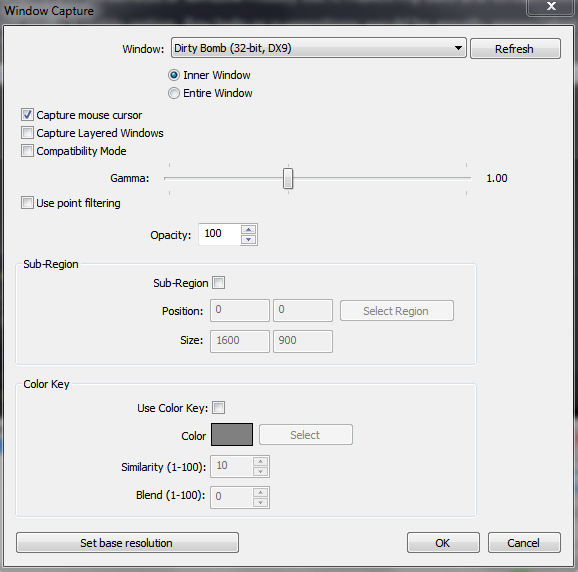
I use 64-bit OBS with my 64-bit Windows 7 Home Prem. and use window capture.
The image is my Window Capture.
If yours looks the same we can look at your OBS stream settings as a whole.
Ulrath
(Ulrath)
#4
You just need to enable the compatibility mode. Otherwise the anticheat cuts the image. Also be sure to use the last OBS version.