
Thought on lightgrid fine tuning


(mena666) #1

1stly, look at this reference pic.
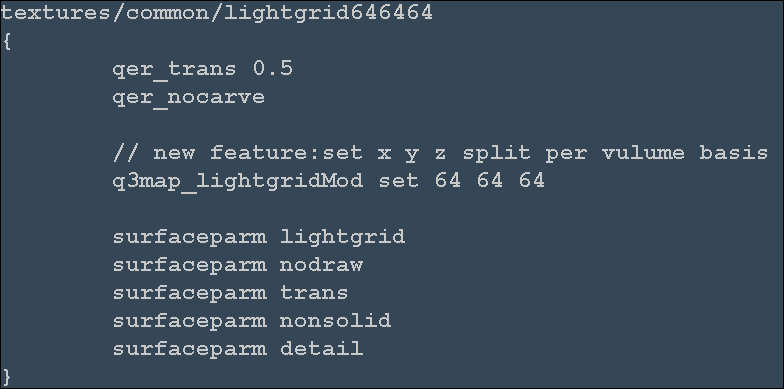

So is it possible to achieve this without engine modification?
Why?
Because on large maps mappers sometimes want to reduce the compile time for unnecessary lightgrid calculation by setting lightgrid boundary or large gridsize.
Current implementation of gridsize and _mingridlight would do the partial job.
But when it comes to speaking lightgrid fine tuning, there are only all or nothing ways provided.
Hence this new feature request. :roll:


(Shallow) #2

It’s not entirely clear what you’re asking, but I’m guessing you want to know if you could use a shader to set lightgrid density in different areas. You can’t, the lightgrid is defined as a single convex volume and has to have the same cell size throughout the map.

Pro tip: This forum has a “code” tag for posting shader scripts etc.


(mena666) #3

Thanks, Shallow.
That’s the very thing I wanted to know. 8)
It’s a bit disappointing but it makes sense because it were to be possible, it would have been already implemented. :wink:


(obsidian) #4

You can at least use the lightgrid shader (see inside the Q3Map2 zip file for the shader) to specify the boundaries of the lightgrid, so out of bound areas won’t contribute to the overall lightgrid size.


(SCDS_reyalP) #5

Note that it only makes sense to use one brush, and it should be axis-aligned.

You can’t make more complex lightgrid shapes by using more brushes or rotating/clipping/skewing.


(mena666) #6

What happens if it is not axis-aligned?
Does q3map2 automatically snap the boundary based on the gridsize?
Or do we have to take care of every setup(gridsize & lightgrid brush alignment)? :roll:


(SCDS_reyalP) #7

It should do the right thing, i.e. take the mins/maxs from all the brushes and round them as needed.


(mena666) #8

I’ve got it.
Thanks. :slight_smile:
Still and all we have to take care of the gridsize and lightgrid brush size(with axis-alignment) for the edges to be lit properly in case it’s rounded toward a smaller size. :roll: