Silly texture!


(flower.Hercules) #1

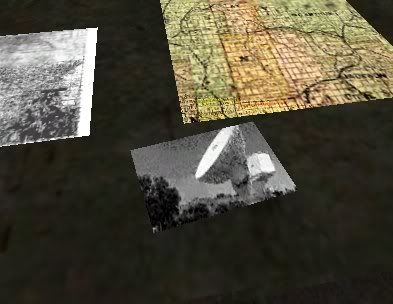
I made a couple of pictures to put in a map and this is what it looks like in Radiant

HURAY!

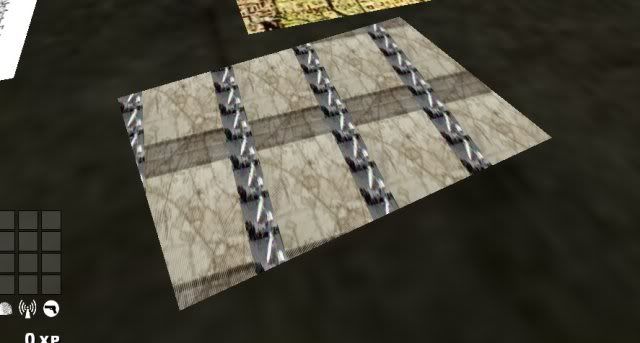
However, I have a bit of a dilemma in-game, it looks like this

:eek:

The map that is showing up underneat the satellite photos is actually a modified board_c03 that has a custom map on it; the problem is, why in gods name is it behind that? It is pretty much tiling, quite terribly, the satellite photo and underlaying a completely different texture. Any ideas?


(EB) #2

delete and replace


(flower.Hercules) #3

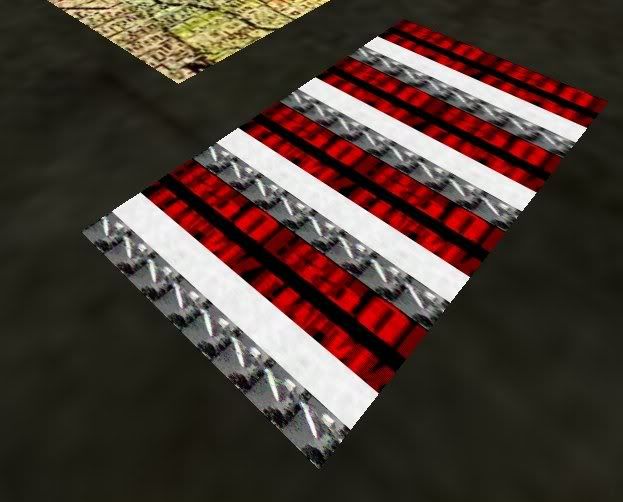
I could post that screenshot, but it turned out worse. It grabbed a couple more textures and threw them in the mix. I took the angle out, doesn’t work. I tried 128x128 for the texture size, original was 128 x 256.

Edit: Just to be clear:


After a delete and replace. I have absolutely no red in this map. Except there :moo:


(EB) #4

What ???


(flower.Hercules) #5

Please note, there is an angle to the brush so that it would be sitting sideways on the desk (the upper right corner is closer to the top of the image than the upper left).


(EB) #6

Angling a brush with certain textures techniques = does not mix.
Delete and replace the brush on ‘squared’ coords. that are parallel or perpendicular to the 3 predefined axis.


(flower.Hercules) #7

Please see my above picture, it was not angled.


(EB) #8

You make it sound like it is angled:

You must be leaving some information out…


(flower.Hercules) #9

You asked what I meant by “I took the angle out” and I answered with “Please note, there is an angle to the brush so that it would be sitting sideways on the desk”.

Out of sequence, I stated that I changed the brush perpendicular to all planes and posted a picture of the result. Please reference the pictures for results of both an angled brush and an unangled brush and the very first picture to see what it looks like in Radiant when I had an angle in.

A little further investigation proved that for no apparent reason, it does the same thing with a different satellite photo just thrown onto a brush, nothing special - just a random picture fitted to 256x128 and put on a brush. It did the same exact thing this one is doing. However, between the time I tried that and had this problem, I placed a bunch of papers on a desk and they had no problems aligning properly. Very interesting. Lesson: ET hates satellite photos?


(EB) #10

Your english is very confusing…be specific, this will help us resolve this much faster. ok?

So you have deleted the brush and replaced the brush, without rotating it at all. Correct ?

EDIT: lol, maybe it does hate those images.


(flower.Hercules) #11

Right now we can assume the following: the original brush was removed. A new, unangled brush was made and the same problem occurs. I don’t think I can be any more specific without telling you each mouse movement and keyboard stroke I use :o

Also, I didn’t actually rotate the original brush, I put in a square and clipped it to an angled square, as opposed to making a square and using the rotate tool, which is ugly. So, yes, “So you have deleted the brush and replaced the brush, without rotating it at all. Correct ?” is correct. I appreciate your time in helping resolve this problem, it has me completely stumped.


(flower.Hercules) #12

I didn’t really solve the problem but I patched it enough to fit my needs…I search for a new satellite photo, found a better one for what I had in mind and fixed it up nice and threw it in. It works without the hell above and it looks pretty good…so we can kindly disregard this thread, unless you find this problem particularly interesting, in which case I will certainly be available to try some fixes. I’m fine with chalking it up to “stupid ET”…most importantly, I named the new texture not_a_sat.jpg :wink:


(EB) #13

No need to be rude…you have not been specific…in fact you have been rude BEFORE being specific.(don’t get upset, let me explain)

Now, this is being specifc but only telling part of the story. I am not in your head reading your thoughts BTW.

At this point, I have my GF pulling my arm to get me off of the computer and cleaned up for the party night…hopefully someone else will help you tonight. If no one else helps, I will be back tomorrow.

Just remember to explain these things whenever you post a thread:
What is wrong
Exactly how you got to that point
What you have tried to do to fix it
AND
What you are trying to achieve.

Using those four things will save you and I alot of grief next time…ok ?


(flower.Hercules) #14

ok, Sensei :nag:

What is wrong

The map that is showing up underneat the satellite photos is actually a modified board_c03 that has a custom map on it; the problem is, why in gods name is it behind that? It is pretty much tiling, quite terribly, the satellite photo and underlaying a completely different texture.
With photos of what I hoped it would look like and what it did look like in the original post.

Exactly how you got to that point
I didn’t specifically point out what I did, I made a brush, I put a texture on it; I left that out to save redudancy.

What you have tried to do to fix it

I took the angle out, doesn’t work. I tried 128x128 for the texture size, original was 128 x 256.

A little further investigation proved that for no apparent reason, it does the same thing with a different satellite photo just thrown onto a brush, nothing special - just a random picture fitted to 256x128 and put on a brush. It did the same exact thing this one is doing. However, between the time I tried that and had this problem, I placed a bunch of papers on a desk and they had no problems aligning properly.

What you are trying to achieve.
I posted a picture of what I had hoped it would look like.

Maybe you need to add in a few more points so that you can understand my problem. Any more specific and I would have posted the solution. Now you can call me rude. Perhaps you could, kindly, not reply to any more of my threads. Enjoy your party.


:beer:


(S14Y3R) #15

you could try q3map_tcGen ivector ( 128 0 0 ) ( 0 128 0 ) it should tile your texture every 128 units.


(flower.Hercules) #16

Interesting, that seems like it would be a good fix. Thanks!