
Assuming both of them share the same lightmap contents(I mean no smaller _lightmapscale or -samplsize), which is more efficient, 1 piece of 1024x1024 canvas or 8 pieces of 128x128?
Or are they identical to each other from the perspective of “price tag”?
lightmap comparison: (1024x1024)x1 vs (128x128)x8
mena666
(mena666)
#1
kamikazee
(kamikazee)
#2
I believe that Zarkow recently said that modern graphics cards have less problems with a single large texture than a set of smaller ones.
carnage
(carnage)
#3
for ET you might not notice a massive difference in performance but i believe using large textures is better as it reduces the number of textures that have to be passed though the cash every frame or something like that
you might get fewer seams with a larger lightmap as well so id say bigger is better
mena666
(mena666)
#4
Thank you guys for your answers.
Actually this question was arisen while working with lightmapped mapobjects.
You know lighting mapobjects, more often than not, result in ugly lightmaps.
So I decided to lighten them externally, instead of using q3map2.
I mean baking them in 3dsmax by using the feature “render to textures”.
It’s faster and prettier.
Is it the way to go, isn’t it? :rock2:
obsidian
(obsidian)
#5
Lightmapped models should generally be used on large models (think terrain).
Smaller mapobject models typically look better vertex lit anyway, since the relative size of triangle tessellation compared to luxel size is much smaller, thus appear to be a higher “resolution”.
mena666
(mena666)
#6
I forgot to mention that I was talking about rather large mapobjects for autoclipping.
By baking externally, those mapobjects can even save lightmap blending pass. :rock:
One possibly annoying additional management is to maintain the lighting synchronization between max and radiant.
mena666
(mena666)
#7
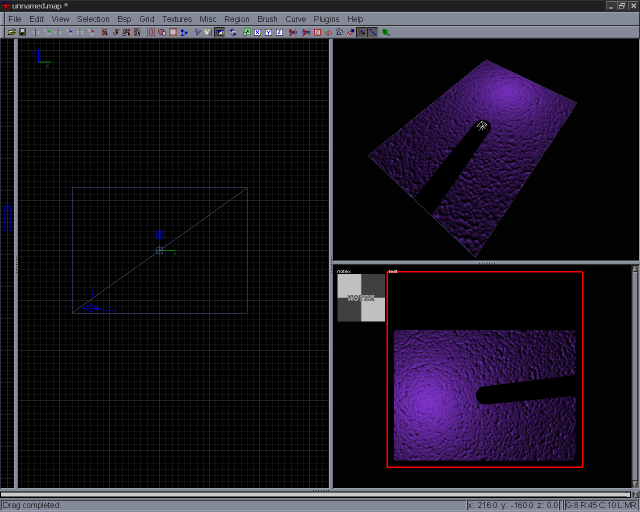
mena666
(mena666)
#8
Simple test2.
Resulting in faster rendering and consistent contrast between fullscreen & windowed at the expense of memory usage and additional manual werk process.
One disappointing side effect is that the diffuse texture is blurred out after completion even if tiled densely enough.
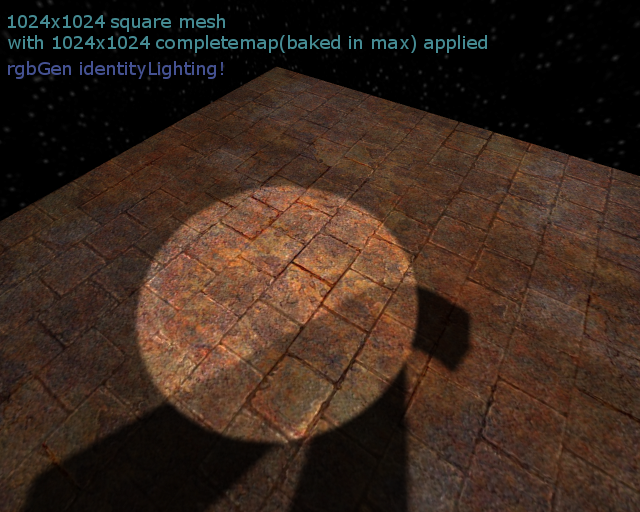
Let Go Test :lol:
Shallow
(Shallow)
#9
Outside the context of Q3, I’ve often made use of a technique where I used a lightmap rendered in Max as part of the texture map for the model: Normally it would go at the top of the stack in the photoshop file as a multiply layer, with the layer opacity adjusted so that it was quite a subtle effect. The idea was not that this lightmap would be a substitute for the engine’s own lighting, but that it would help accentuate the form. If properly applied it looks pretty good.
Those models, however, were small feature pieces on the same scale as usual Q3 mapobjects like teleporters or skulls, not huge chunks of map. I would never consider applying the technique to a full map piece by piece, and even for mapobject-like things I would always combine it with lighting appropriate to the engine I was working in so that everything fit in well, and looked like it belonged in the same place.
Having an individually lit texture for every piece of the map would be crazy - you will be getting bottlenecked badly transferring the huge numbers of unique textures around between system and graphics RAM all the time.
The cost of blending two stages to get lightmapping is pretty cheap on moderm hardware anyway - Q3 supports up to four stages on a single pass IIRC and pretty much every card made for the last four or five years has had that many pipes or more (we’re up to what, 16 or 20 now?)
mena666
(mena666)
#10
Thank you for your tip. 8)
Yes, maybe I have to stick to flat textures with stretched lightmaps for this method to werk in a whole map. :roll: