ok im creating a map and its currently untextured, i just want to show off the brushes and lighting, this pic here:
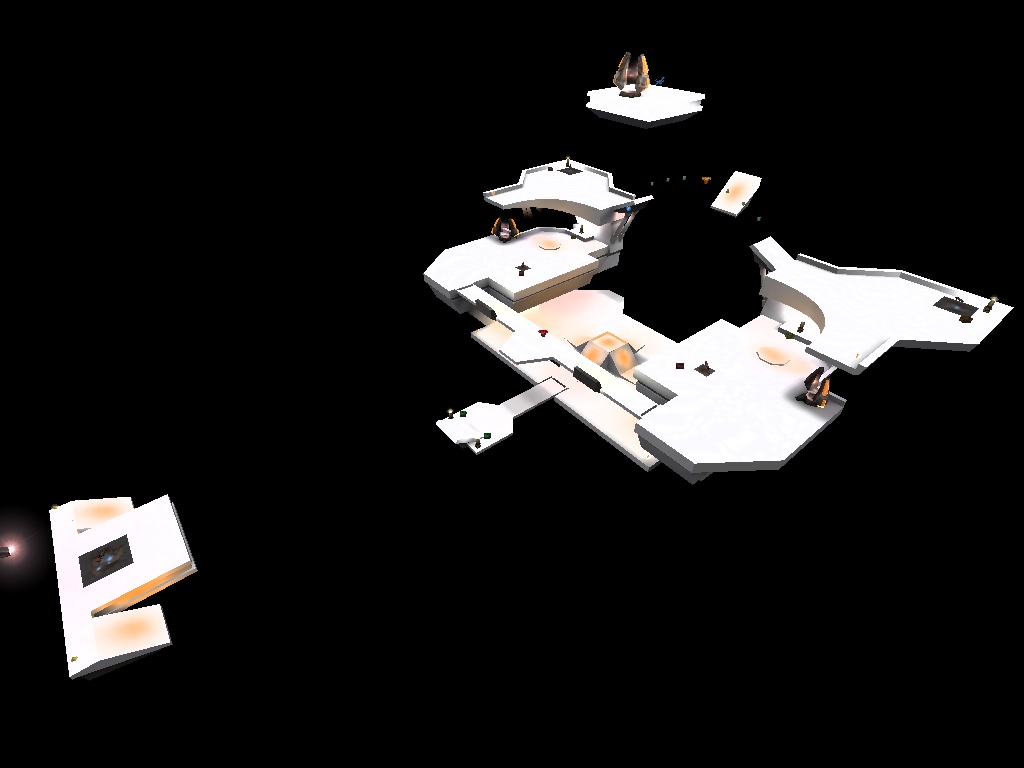
caught my eye, could someone please explain how to do this?
thankyou

ok im creating a map and its currently untextured, i just want to show off the brushes and lighting, this pic here:
caught my eye, could someone please explain how to do this?
thankyou
I’m not sure what games this works with exactly, but try /r_lightmap 1.
i tried that, but i had trouble distinguishing between the different brushes and lighting
with the above link as an example you can see clearly the details and the lighting
oh and its for the ET mod TC:Elite
www.truecombat.com
That’s just a screenshot of q3dm17 with /r_lightmap 1.
That map looks like it has been recompiled with -filter (which is no longer recommended as it has a tendency to wash out lightmap details). Instead, for better sky light illumination, see Appendix I in the Q3Map2 Shader Manual:
http://shaderlab.com/q3map2/shader_manual/apI.html
I’m not sure if I had the latest revisions to that section uploaded, but avoid using q3map_lightmapFilterRadius unless it’s a last resort (again, it will wash out lightmap details). Instead, use a higher q3map_skyLight iterations value for better quality (try 6).
thanks for the reply,
were exactly would i point this command? im using radiant 1.40 with ET
im aware that its a compiling line but im unsure were to add it
thanks
you can edit the radiant .proj file to change the compile switches seen from the radiant bsp menu.
it would go after the -light switch
You should get Q3map2Toolz (works with RTCW, I know that). After compiling, you can hit a button and it loads the map in devmode for you.