Hint Brushes, revisited


(flower.Hercules) #1

I just can’t seem to get it right. I have two rooms, I will call the bottom room level 1 and the top room level 2. Both levels have windows angled out so that you can see directly below. The top room has a bunch of brushes that bog down the vis and tris and ultimately FPS. I simply want to stop the top room from drawing while in the bottom room. The back of the room has a ladder, which I have hinted off at an angle.

For this post, I’m just curious if there is anything special that comes into play when you are working with real maps, as opposed to a perfect-world map like you get in the tutorials? I’ve gone through EBs tutorial and looked at his map file. I’ve read nibs tutorial, and I’ve followed a few threads. If any of you are familiar with EBs map that he did for this topic, a good example of the problem I’m having is if you were to go to the back room with the water and the palm trees and turn left to the hall that leads to the room with 3 mirrors, don’t go any farther than through the door, turn around and turn r_showtris 2 on and look out to where the palm trees are…that room is completely sealed off and has a hint brush around it and there is absolutely nowhere (it is a solid room) that gives you a line of sight out to the big open area…and yet it still draws the palm trees and water and everything else out there.

It is kind of the problem I’m having, even though the room is entirely sealed off, it still draws the room above. I know this can’t be properly answered for my problem without pictures, I’m just curious if there are special cases where even though you have everything hinted off and no portal sees another, it still draws what is in that portal. I will gladly post pictures if anybody is curious.

(flower.Hercules) #2

I cooked up some snapshots of my woes.


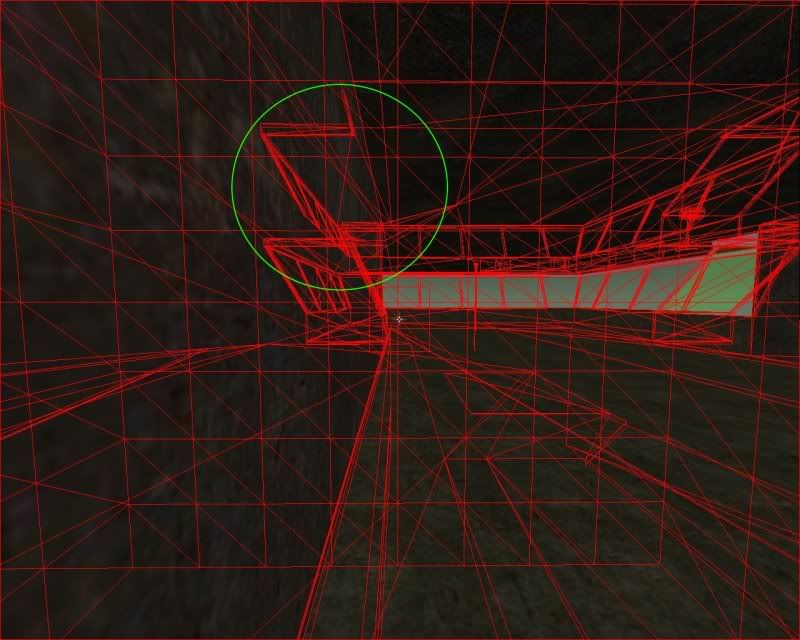
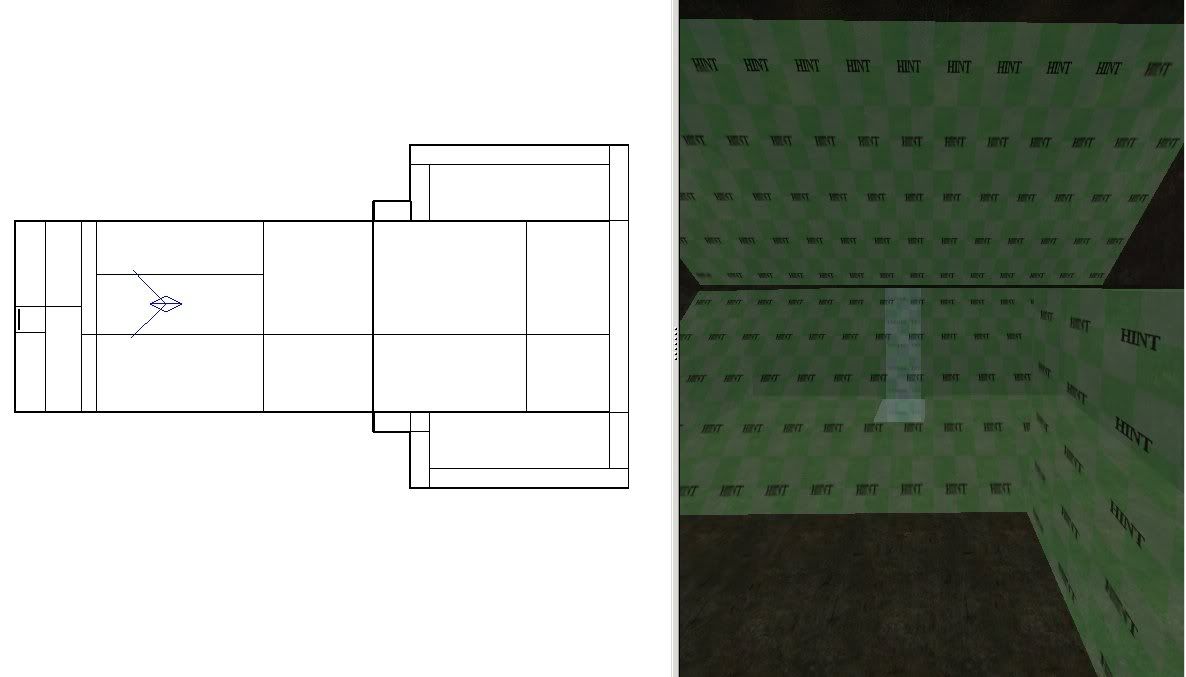
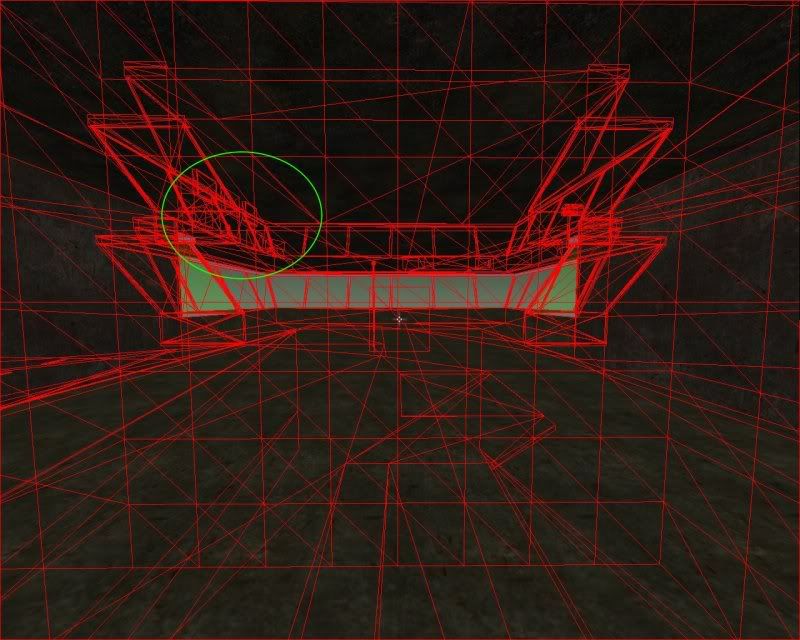
This shot tells the story, it is on the first level, on the upper left and upper right hand corner, you can see details are being drawn from the second level.

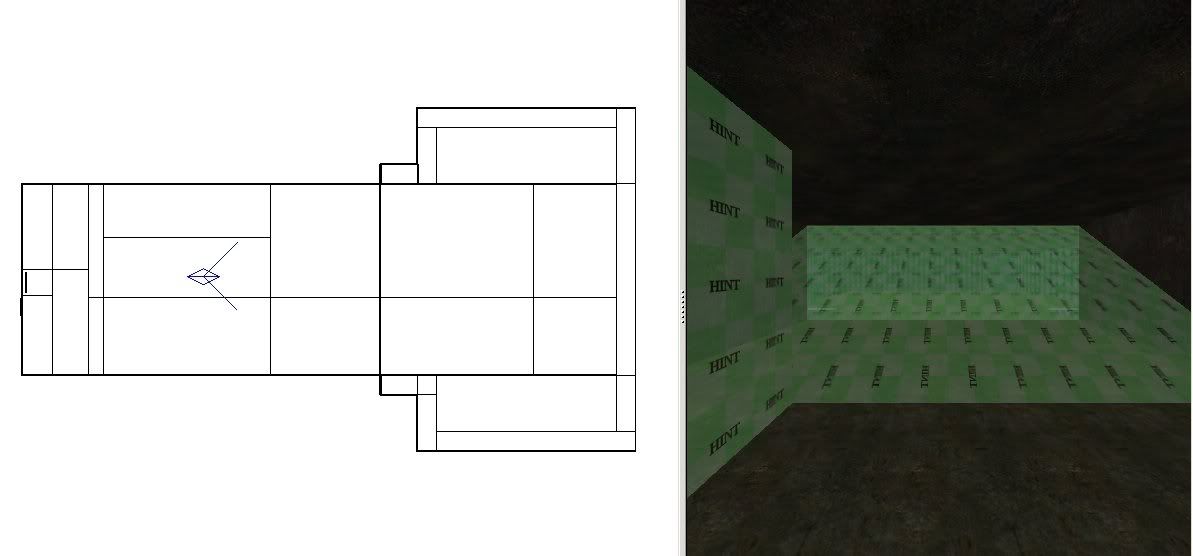
Here are a couple shots from the first level:


Bare, without hint brushes shown


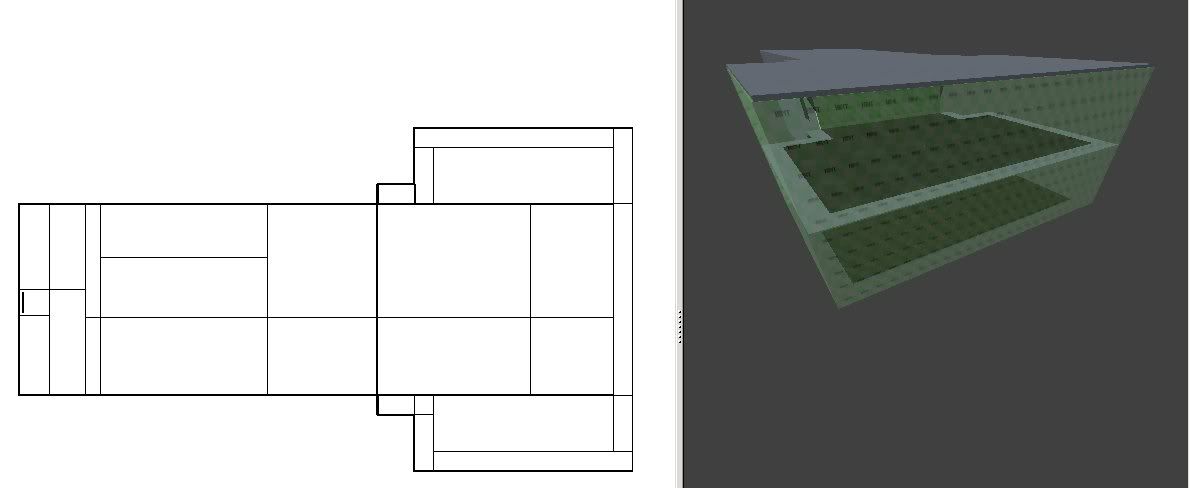
With my hint brushes displayed. On the left side, you can see I made a box hint brush, when I move inside that box, I get the following:


Take notice of a couple things, first, the green circle shows that, in fact, the upper level detail does not get drawn…however, the rest of it does. This boggles my mind.


I’m curious if this is a result of these corners, I’m at a lose so that is a stab in the dark.


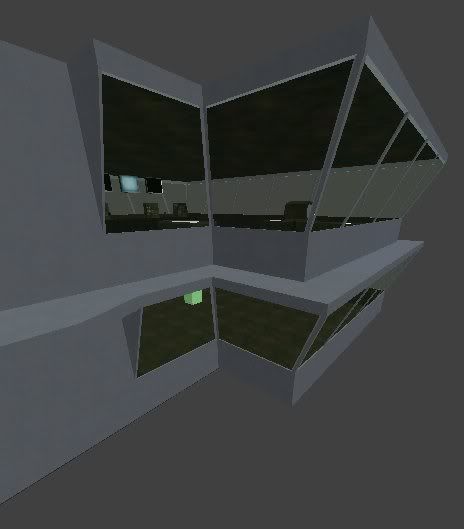
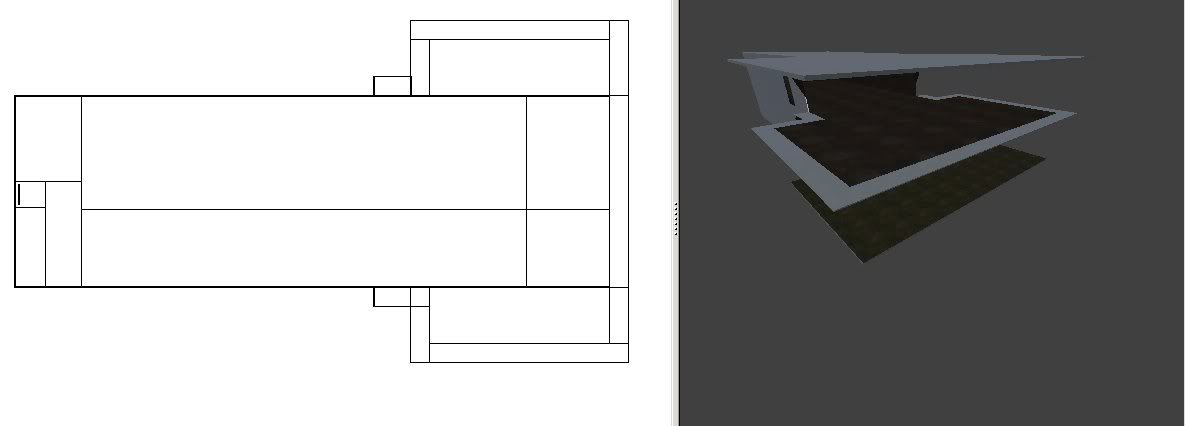
That is level 2 with hints and detail brushes hidden.


That is the detail of level 2, just for reference.


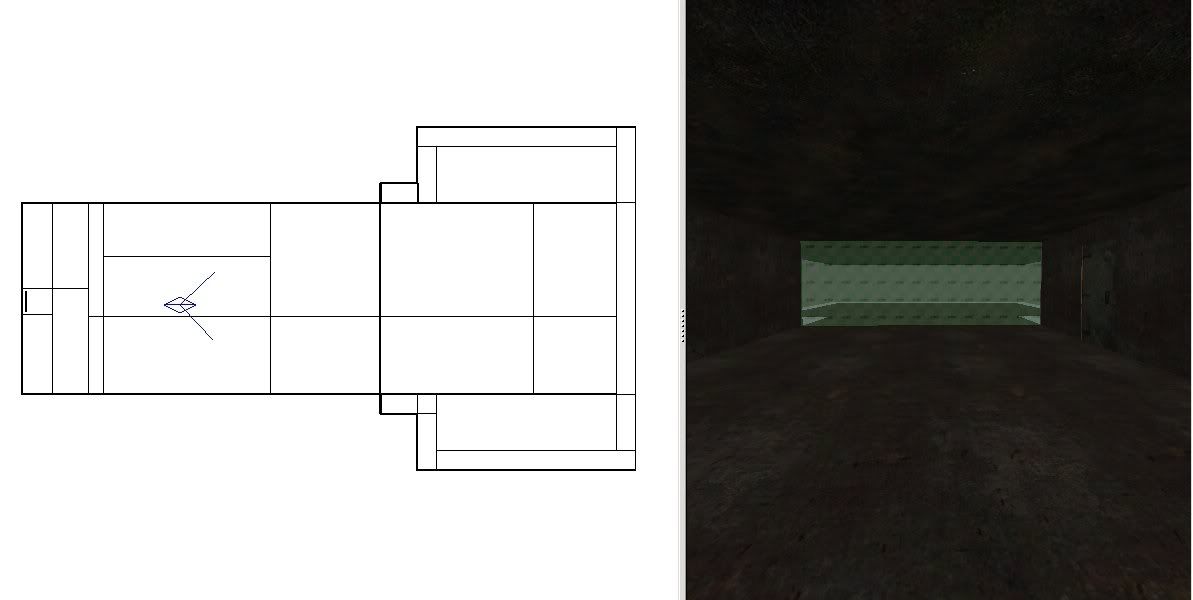
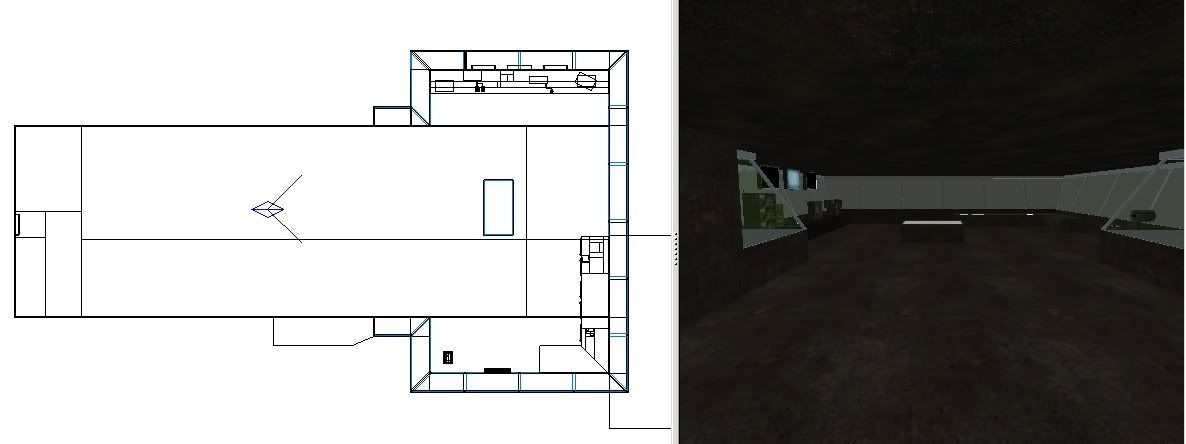
I clipped the ladder off like so, this picture is actually taken with my head in the floor so it shows both level 1 and 2 at the same time.


These are my hint brushes outside, they don’t do a damn thing for keeping anything being drawn outside, though. I was hoping it would eliminate the problem with the corner picture above, if that was, in fact, the problem. It didn’t help anything.


And finally the outside of the structure without any detail.

Edit: I’m sorry to all those on a slow connection or a small resolution, I resized them so that they would fit most screens.


(Ifurita) #3

If I understand correctly,

  1. You can see the same outside, through the windows, from both levels?
  2. You cannot physically see (draw direct LOS) from the top room to the the bottom room or visa versa (can’t get through the windows, etc)
  3. You’re puzzled why the other room gets drawn

What did I miss?


(flower.Hercules) #4
  1. Yes
  2. No, you can see into the other room. That is why I put the picture of the corner in, that is your only line of sight, except for the ladder, but that should definatley be hint brushed properly.
  3. Yes

The way you speak, it seems that the third point is more sarcastic, if that is so, I must ask what I missed :x

The way I understood from the tutorials is, if you cannot draw a line from your current portal to another portal, it shouldn’t be drawing that other portal.

To avoid a double post:

Maybe this is obvious to others but my experimentation has shown that the windows are the problem. I’ve just started mapping, so it wasn’t so obvious to me. If I turn all of the windows into a solid texture and completely enclose it in structural brushes, or the hint brush equivilant, the upper room is not drawn.

So I guess my question should be, is there any way to get around the window problem?


(Ifurita) #5

Point 3 isn’t sarcastic at all. I wanted to make sure I understood your understanding of portals correctly, because people have all sorts of different interpretations. Is that hintbrush enclosing your rooms a single hint brush or two seperate ones. Want to share your .map file?


(flower.Hercules) #6

Of course, my map isn’t anything to be stolen or kept secret, just a noob learning to make maps is all. I might have cried wolf a little too early, but I’d rather get the correct understanding of them before I get a bunch of experience behind me and realize I am not doing it correctly.

I guess my most immediate question is, if you can draw a line of site ANYWHERE and at ANY ANGLE from within your portal to another portal - everything in that other portal will be drawn?

To be sure, I am continuing research and testing…just so you don’t feel that I want you to tell me exactly what my problem is and end up here again in a week wanting you to answer another one all-the-while, I never learn a thing.

The .map file from yousendit.com
http://d61.yousendit.com/F/2G4SRC8EQUO37220T7Q1TSZ6EN/carrier_caulk2.map

The link to the page with that link if it doesn’t work
http://s61.yousendit.com/d.aspx?id=2G4SRC8EQUO37220T7Q1TSZ6EN

Thank you for your time!

Another thought I just had, their might not be any hint brushes in there :x I removed all of them that didn’t work at one point. I just verified that there is only an angled hint brush spanning the entire structure. That was a test and it seems that I have, indeed, removed all of the previous hint brushes that didn’t work.

Edit: Removed a line that didn’t really sound right when typed.


(flower.Hercules) #7

I have leaped one hurdle, that being what exactly is considered to be in the line of sight. Correct me if I’m wrong.

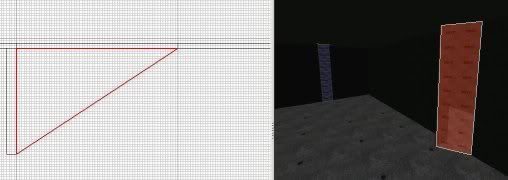
If you can draw a clear line from anywhere in your current portal to another portal, everything in that portal is visible. If you look at my map, you will see that I have a ladder. I moved the door in the very bottom to the other side and it was still drawing everything outside of the building (runway and flight deck). When I drew a line from my the point of the portal that is at the corner of the ladder well, I found that, indeed, I was able to draw a line from that corner into the portal that the door opening was at. I made a little wall, put it just at the point where it would intercept the line and then I put an angled hint brush from the corner of my newly created wall over the door opening. It looked like the picture below:

Sure enough, it no longer drew the runway and deck when I was in the portal by the ladder hole. This is a huge leap in my understanding of the use of hint brushes and visible portals, alike.


(SCDS_reyalP) #8

Correct, disregarding that what you are calling a portal is more properly called a cluster or something like that. A portal is a single plane that defines the boundery between clusters.

Setting r_showcluster 1 in game will print the number of each cluster as you enter it.

You should also know that if a drawsurface (group of triangles with the same shader) has any part in a visible cluster, the entire surface will be drawn. This can cause surprising results if you happen to use a lot of the same texture. If you want to avoid this, you can use func_groups, or just break up the textures with some trim.

If you haven’t already, I suggest using the prtview plugin in radiant.


(carnage) #9

i managed to get it so it would no draw thye furniture when in the middle and bottom room but this is few few tris it is hardly siginificant

by looking at the map and your placement of hit brushes ide say u should go over the tutorials a couple more times. no only did you have hints that dint stop anything. there was a brush that seeminginly unintitionly exeepeded outside the rooms and casued a nasty split acros the rest of the map

as the windows are slanted it will be more work to get these taken out by vis but when i look at your floor thats two units thick its gona be pretty fidely

i surgest re mapping that part and start with a ticker hull and basic structure of at least 16 unit. also building the hull basic brushwork (walls, floor etc) is much easier in gird size 4 then use the smaller grid sized to add detail to your map


(flower.Hercules) #10

SCDS_reyalP: That makes much more sense, I was getting odd results from that door in my above post when I was playing around with different hint brush placement in the gap between the door and the outside world.

Thanks carngage, I appreciate it. I will redesign and make it thicker.

I wasn’t concerned with tris counts right now, I just wanted to learn hint brushes at the earliest possible stage of learning. At the time of posting that map file, I didn’t realize I removed all the hint brushes for blind experimenting. I believe you are talking about the hint that I put at an angle through the entire structure; that was all just stabbing in the dark to hopefully get some results so I could understand it. THe tutorials, like EBs, brainerd, and nibs I understand perfectly :stuck_out_tongue: I have duplicated results just like in those. I would compare it to telling me how to make a brush and then expecting me to be able to make a perfect map with just that knowledge :o


(]UBC[ McNite) #11

You should also know that if a drawsurface (group of triangles with the same shader) has any part in a visible cluster, the entire surface will be drawn.

I think we discussed this some time ago and I was able to proove this is not (always) true. If you r interested I ll dig out the screenshots again.

If you haven’t already, I suggest using the prtview plugin in radiant.

Hm for my money that plugin is too chaotic. You can just compile with a certain switch (was it -showportals? it was new with the latest q3map2, sry i m at work n cant look it up) and the portals will all be shows with a white transparent surface after teh compile. I found that way more useful and easier to apply because you just do a compile and then start the map. No fussing around with prt-files etc.


(SCDS_reyalP) #12

[quote=]UBC[ McNite]

You should also know that if a drawsurface (group of triangles with the same shader) has any part in a visible cluster, the entire surface will be drawn.

I think we discussed this some time ago and I was able to proove this is not (always) true. If you r interested I ll dig out the screenshots again.
[/quote]
Huh ? Thread link ?

There is a limit to the number of triangles that can be merged into a single metasurface, so if you have a whole bunch of triangles with the same texture, they may not all be drawn together. However, if the triangles are all in a single metasurface, they will most certainly all be drawn (disregarding things like backface culling) if any part of the surface exists in a visible cluster,

edit: this is specific to BSP -meta compiles, but AFAIK, ET requires maps be compiled with -meta.

prtview is easy to use and configure, and has the advantage of allowing you to adjusting your brushwork while looking at the portals. If the view is too confusing, adjust the clipping distance or other settings.


(]UBC[ McNite) #13

Reyal: Here s the thread link (took me quite some searching)

The whole doorway detail brushes have the same tex, and thus the surfaces should be merged into 1 drawsurf, right? Only you don’t see all the tris of the doorway. Same goes for the door: all brushes same texture.


(flower.Hercules) #14

Thanks McNite, that is great information. The prt viewer is nice but, as you say, chaotic. Very hard to make sense of things when you have a lot of portals and just some thick blue lines and coloured, transparent boxes. If you know where your problems are, it is fine; but when you are learning, it would be a lot better to actually visualize it in-game.