
I asked before why I can’t do Q3 like fog volumes ( EG fog covering just a floor or pit … )
Whatever you try you will get result like this
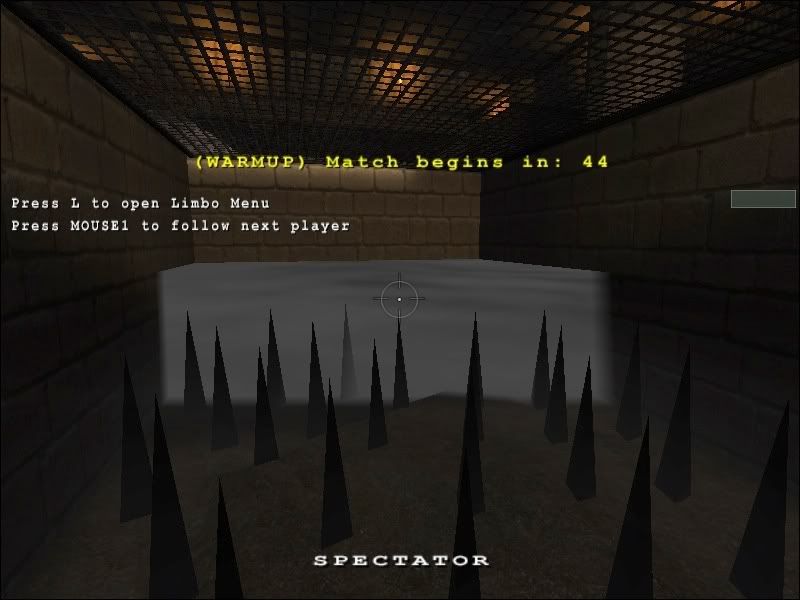
I don’t know if you know it, but it is actualy a drawback of one change in ET 2.56
They fastened rendering fog by computing less of it, working good with large fogs used for example as outdoors fog, however it does this ugly thing and disallow us to use this great looking map feature
In ET 2.55 it obviously works like it should
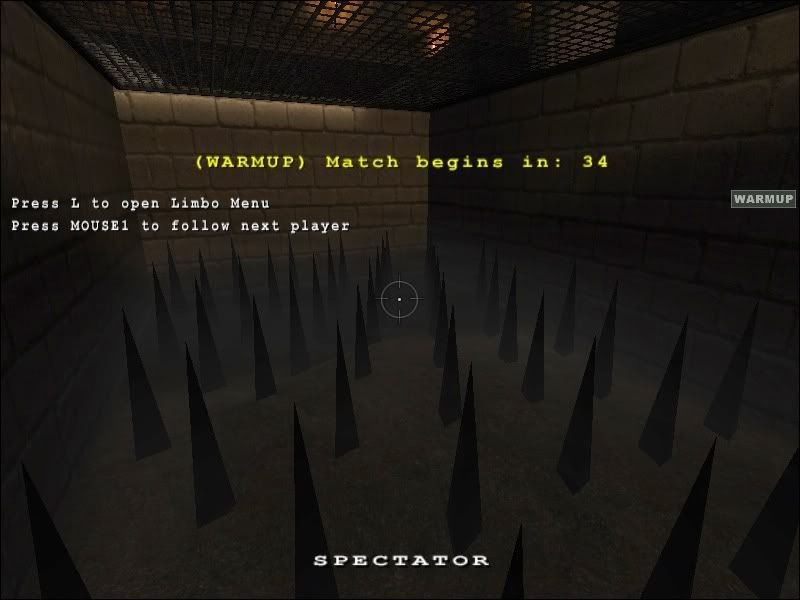
Sorry for dark screenshots ( they aren’t important anyway, but you know hw gamma… )
Fog Volumes
Jaquboss
(Jaquboss)
#1

nUllSkillZ
(nUllSkillZ)
#5
Marko’s “Temple” has fog in one particular area of the map.
And it’s working.
[edie]
It’s near the last allied spawn inside of the Temple.
[/edit]
_UBC_McNite
(]UBC[ McNite)
#7
That fog actually looks suck, and it screws up the look of the constructibles in the cave too. I d rather have no fog than that fog tbh.
Also in venice there s fog in the watershader, and it sometimes affects models that are not in the water (tank for example). So I guess having fog in few brushes is really borked.
DerSaidin
(DerSaidin)
#8
Most players turn their settings down heaps. I dont think they’d care if there was no fog. (A lot of leagues use r_wolffog 0 now)
carnage
(carnage)
#9
That fog actually looks suck, and it screws up the look of the constructibles in the cave too. I d rather have no fog than that fog tbh.
Also in venice there s fog in the watershader, and it sometimes affects models that are not in the water (tank for example). So I guess having fog in few brushes is really borked.
that happends on other maps as well including the city of lost children and venice. i though that this was a bug with the ATI drivers :bash: (<<spaz) there isnt al lot we can realy so just have to find alternatives to fog
nUllSkillZ
(nUllSkillZ)
#11
I think brush-layers wouldn’t solve the problem.
You wouldn’t see the fog effect in the viewdirection.
May be little cubes (some kind of checkboard pattern in 3 dimensions).
_UBC_McNite
(]UBC[ McNite)
#12
Not sure, but does the zfar only work with worldspawn fog? Has anybody tried multivolume fog with zfar and what it does?
As multivolume fog actually is lots of brushes with fog in them, the zfar probably won’t work. It could be checked in venice, afaik the long channel is long enough for the fog in the water to become opaque.
Jaquboss
(Jaquboss)
#15
well, with fog turned off you can see at the end of channe(with zfar 0 ), setting r_zfar changes view distance as normal…
_UBC_McNite
(]UBC[ McNite)
#16
Ok that means you r_wolffog/ zfar affect multivolume fog too, and thus u cant really use them for getting eyecandy into your map too.
Only way i see to get around that and around the crappy look of fog-hoovering-over-the-floor-of-a-crypt is some seriously nifty and creative shader action… I m having a similiar problem with wolfparticles on warbell. Wanted to use smoke as indicators for objectives, but as a lot of players switch the particles off they won’t see anything… so i gotta simulate “smoke” with some shaders they can’t switch off :bash:
carnage
(carnage)
#17
it seems that to only take into acount disstance om two axis giving the wall effect. This would surgest to me that it is renderd without the depth buffer since that would use all three axis. also the start distance and end distance of the fog dont seem to be controlable by shaders or mbay your values are just not too good
stacked brushes with transparency sounds like a recepie for disaster and im pretty sure it would be noticeable and a hefty strain on performance with all thoes blend layers
for very low fog for just a thin layers above the ground you could try a semi trans brush but once the player has gone though it it will look stupid. i think all we can do is not use fog. its a shame since it can look very pretty
Jaquboss
(Jaquboss)
#18
Problem is that at fogdistance ( last fogparms number ) it puts ugly fully opaque wall, only solution is to make sure you cant see as far, but then again your fog wont be much visible 
Dont care if you can turn off the fog it doesn’t really matter if some comp players have it off, it only mean is eyecandy, improves only look and atmosphere of level, proning into it won’t really much help
BTW: I didn’t mean stacking brushes as real alternative :nag:
carnage
(carnage)
#19
Problem is that at fogdistance ( last fogparms number ) it puts ugly fully opaque wall, only solution is to make sure you cant see as far, but then again your fog wont be much visible
Dont care if you can turn off the fog it doesn’t really matter if some comp players have it off, it only mean is eyecandy, improves only look and atmosphere of level, proning into it won’t really much help
BTW: I didn’t mean stacking brushes as real alternative
agree with the eyecandy. play boxmaps if you dont want nice lookign maps
would it be posible to place multiple fog volumes over exactly the same place to make it seem thicker? this would cuase z fighting but with exactly the same texture shouldnt be a issue. downside is i gess it would double the graphical strain on rendering the fog