I’ve been taking a look at your map, and there are a couple of problems. First of all, I can’t seem to replicate the error you have with the train starting of the wrong way round.
This is what it looks like, before I made any changes:
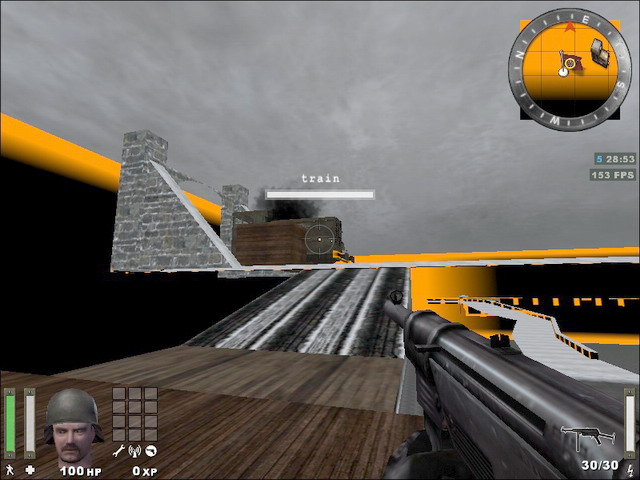
Besides the missing texture, the train text and the fact that the train appears to be at full health, it seem to point in the right direction. Even when its repaired, destroyed or escorted it still points in the direction.
Assuming that the train needs to be repaired before it can move. So it needs to have its health drained, which I do by changing the spawn function in train_construct. I’ve added a ‘wait 500’ and ‘kill tank’ to it.
The md3 you are using doesn’t contain any tags, which is why the entities you try to attach with ‘attachtotag train tag_train’ are moved to the center of the map. This is why the tug icon appeared there after the train has been repaired. Anyway, I replaced the md3 with a homemade one, that contains two tags - tag1 and tag2. Using this md3 as model2 I can attach the entities properly. You can download the md3 and corresponding tag file here:
http://junk.chruker.dk/files/mapping/enemy_territory/2tags.zip
After you have updated the script_mover entity to use this new md3, remember to change all of the ‘tag_train’ in the script to ‘tag1’
In this function:
trainb
{
	spawn
	{
	faceangles 0 270 0 50
	wait 100
	attachtotag train tag1
	}
}
You can remove the faceangles command, since it gets its orientation from the tag it attaches itself to.
In the map you need to change the origins of the trigger_multiple and trigger_objective_info brushes. At the moment they are not exactly deadcenter on the script_movers.
You also need to remove the solid and axis spawnflag of the trainb script_mover. Or else the train can’t be hurt (the brushes of trainb were protecting the train script_mover).
----- More notes are coming, I just need to take a break while I’m eating a snack. -----
Actually, I think that was it for now. 

 …or so I thought…
  …
… 

