
Is there a difference between changing DPI and InGame sensitivity? So if I change one or the other for the 360° distance to match, would it make a difference which one I chose? I know you should balance the two, but I’m just curious. So does higher DPI mean more pixel skipping?
[ELI5] High vs Medium vs Low Sensitivity. What's the way to go?
Litego
(Litego)
#23
Well DPI is a relation between monitor resolution and mouse sensitivity. So for a high resolution monitor you want to go higher on the DPI to avoid pixel skipping, but the same is true for sensitivity, if you go with a high cm/360 (high sensitivity) you want to increase that DPI to avoid pixel skipping.
With a low cm/360 having a low DPI like 400 is fine because the smallest movement you can make translates to 1 or less pixels of rotation in-game, and you’ll have perfect accuracy. But as you go higher on the sensitivity and stay at that low DPI of 400, the smallest move you can make suddenly goes above 1 pixel and you lose accuracy.
But there are other things to consider too, you do not want to go too high on DPI either because then the sensor will start malfunctioning and you lose accuracy, and you don’t want to go too low on the in-game sensitivity because then the game engine will start rounding your input down to 0 and you lose accuracy ( This is UE3 specific and does not apply to all games, in general you should stay above 5 in-game sens). I’d say stick to your mouses native DPI between 400 and 3200 (assuming your mouses native DPI is 800) with an in-game sens of around 10.
Dawnlazy
(Dawnlazy)
#24
[quote=“Xyfurion;158488”]@FireWorks just checked. Its 20cm @Dawnrazor
Edit: Did something wrong with the calculator its not 20cm…[/quote]
I used this to calculate:
Says that Dirty Bomb at 20sens and 1800DPI results in a 360° rotation with 1.8204 inches.
Xyfurion
(Xyfurion)
#25
@Litego Alright dude, I understand now. Thank you for your explanation, I really appreciate it 
BerylRdm
(BerylRdm)
#26
800 DPI and 9.5 in game. I used lower sens in ET times, but I had a better mouse back then, and it worked great with that sens.
Black2
(Black)
#27
[quote=“Kingsley;158500”]@black
Theoretically, yes, that’s true but some mice start to experience jittering and are more acceleration prone @ certain DPIs more than others[/quote]
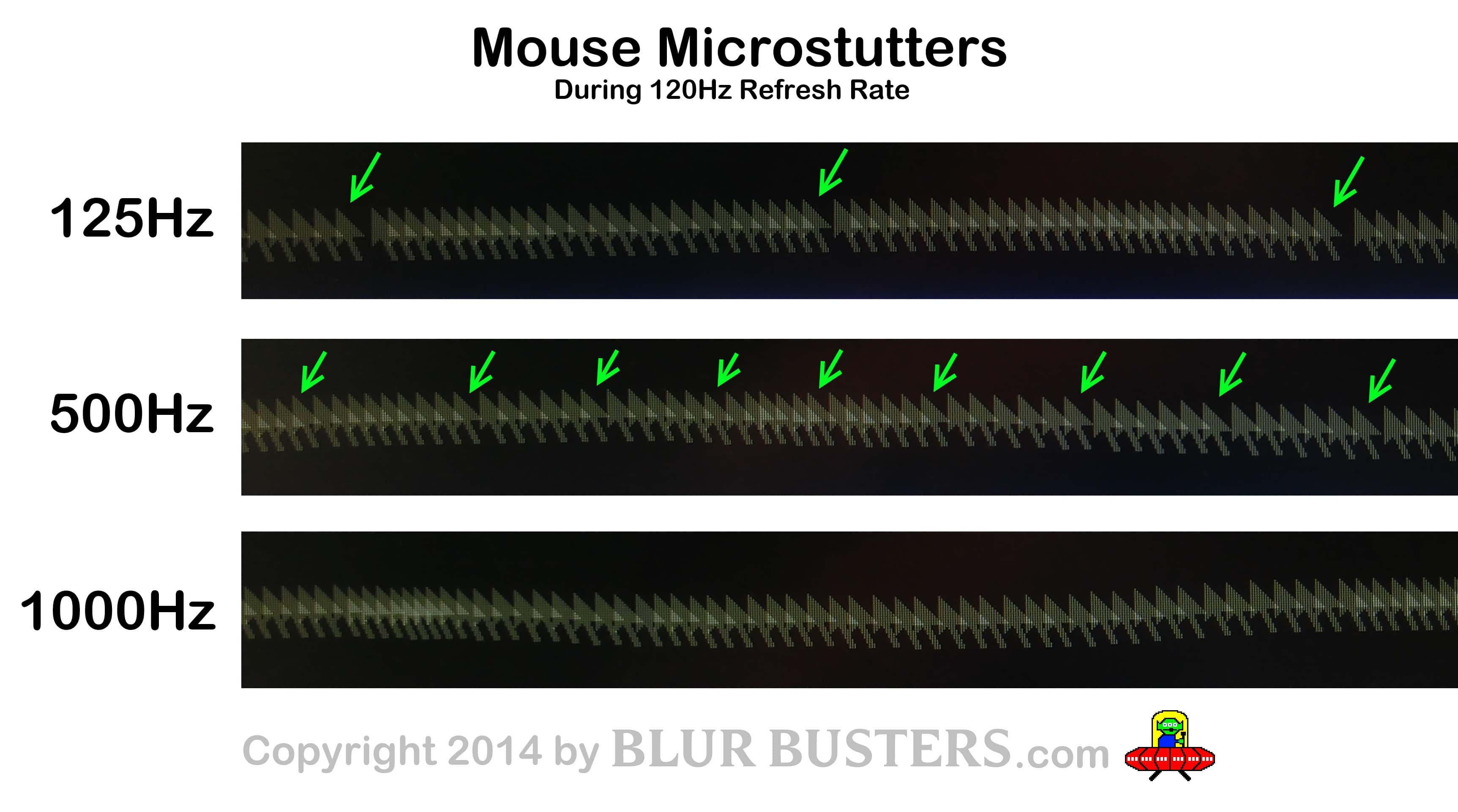
Isn’t that because of polling rate?
[spoiler]
[/spoiler]
Amerika
(Amerika)
#28
If you play at a high sens like that, why don’t you lower the game sensitivity and increase the DPI? [/quote]
I’m not sure about Kingsley but some sensors have a native DPI where they perform the best. A guy on the Overclockers forum has compiled a list of a few common mice and some relevant stats which include the best DPI range for the sensors in those mice. https://docs.google.com/spreadsheets/d/1ZzbKDmFOqsP_ut2RdctD01OEbZzbXol6HLwqVkSmZcg/edit?pli=1#gid=0[/quote]
I am aware, but you can change your DPI while keeping within the native range. What I mean by that is you double or half the DPI from the native DPI and you’ll be fine. So if the native DPI is 800 you can use 400, 800, 1600, 3200 etc… While 700 for example is not half of 800 and the sensor will have to do some interpolation and you’ll lose accuracy.[/quote]
Where are your sources on this? Pretty much everything I’ve read on Overclock and other serious mouse testing sites doesn’t mention anything that supports this. Each sensor and the type of sensor used has certain DPI points they are best at or a range of DPI points. I don’t recall any of them mentioning this halving/doubling. Especially when talking about all the different types of laser and optical sensors tested.
What Kingsley wrote is mentioned many times however.
nokiII
(nokiII)
#29
No, it’s the sensor, some don’t like the high dpi, but the newer Avago ones don’t have any problem with it anymore. Especially the ADNS-3310.
It also has alot to do with the implementation of the sensor, some older Avagos don’t have any problems, while in other mice with the same sensor you got input lag and jitter above certain dpi settings.
watsyurdeal
(watsyurdeal)
#30
Personally I use 400 dpi, it just feels better. 800 or more feels snappy, but not in a good way, jittery and not as smooth. Plus Unreal has problems with sens lower than 5, but only applies when you zoom in so hipfire is largely unaffected.
Litego
(Litego)
#31
I did a few tests at two different sensitivities on a 1080p monitor. 8.67cm/360 and 52.02cm/360. The gifs show the minimal movement you can make at the different DPI and sensitivity settings over 10 sensor counts in one direction (18 in total). Obviously smaller and smoother is better.
8.67cm/360
400 DPI @ 48 In-game Sensitivity @Kingsley This is shit, fix it!
http://i.imgur.com/XQO3wpJ.gif
800 DPI @ 24 In-game Sensitivity
http://i.imgur.com/6XCvFHR.gif
1600 DPI @ 12 In-game Sensitivity
http://i.imgur.com/qSgXpRH.gif
50.02cm/360
400 DPI @ 8 In-game Sensitivity
http://i.imgur.com/Qn9ivUc.gif
800 DPI @ 4 In-game Sensitivity
http://i.imgur.com/UtVMnR0.gif
1600 DPI @ 2 In-game Sensitivity
http://i.imgur.com/BeHT2dX.gif
What I take from this is if you want to play at a high sensitivity of 8.67cm/360, you should play at a DPI of 1600, or maybe even 3200. At a 50cm/360 400 DPI is acceptable, and at 800 we’re hitting diminishing returns and can’t really tell the difference between 800 and 1600. Problem here is that you’ll have to go below 5 in-game sensitivity which is not advisable as @Watsyurdeal mentioned, so 400 is ideal here.
@Amerika I read it some time ago, can’t be arsed to look it up, but I found this video earlier today when I was reading this thread:
Basically he says you don’t want to move away from the native DPI (which we both already knew), but halving and doubling is ok. What happens if you change from 800 to 700? Well you’re gonna have to divide that pixel into a lot more pieces than 2, and so you get more inaccuracies just as if you increase the DPI to insanely high values.
I do recommend watching the entire video, interesting stuff, though the background noise is a little annoying.
Amerika
(Amerika)
#32
[quote=“Litego;158554”]
@Amerika I read it some time ago, can’t be arsed to look it up, but I found this video earlier today when I was reading this thread:
Basically he says you don’t want to move away from the native DPI (which we both already knew), but halving and doubling is ok. What happens if you change from 800 to 700? Well you’re gonna have to divide that pixel into a lot more pieces than 2, and so you get more inaccuracies just as if you increase the DPI to insanely high values.
I do recommend watching the entire video, interesting stuff, though the background noise is a little annoying.[/quote]
I saw that video last year when I was researching mice before buying the one I have now. It is extremely interesting if you have any interest in basic sensor technology. He talks about why going up from your native DPI by more than a factor of two is bad but doesn’t discuss the rest of what you mentioned. Can you point out where in the video he talked about that?
I love how he blasted marketing for wanting DPI to be increased simply to put it on the box. Fully explaining why going that high causes all kinds of problems.
doxjq
(doxjq)
#33
I’m a huge believer in using a slower sens to learn to aim efficiently. I was always a high sens user until 2010 when I got back into Quake Live. I switched to a 40cm / 360 (with a little bit of accel) to learn to track smoothly. After a couple of years my aim developed nicely and I started to think it was because of the low sens, but basically now I can aim and track just as well on most sensitivities unless it is ridiculously fast. I think I use a 15-16cm/360 now which is medium-fast. Using 2000dpi with the Kinzu V3 and in-game sens is 3.
I’m 100% in agreement with the people saying “use what is comfortable for you” but honestly, in my experience if your tracking aim is slacking, you really need to push out of your comfort zone and use a lower sensitivity at least temporarily. You’ll be better off in the long run.
The hardest thing for me was coming to a game with no accel. I played nothing but Quake Live for 5 years prior to Dirty Bomb so it was incredibly hard to re-adjust.
doxjq
(doxjq)
#34
[quote=“Xyfurion;25020”]Being a person who has used high sensitivity for years, I find it absurd that someone can be good at lower sensitivity. So I guess I have 3 questions (with 1800 DPI and 20 in game sensitivity):
- Why is it better to use Medium/Low sensitivity?
- Should I switch?
- How do I go about switching without feeling slow as hell?[/quote]
Just realised I never answered the OP at all with my post lol.
I don’t really know though. IMO it isn’t better to use low/medium sensitivity if you can aim fine on high sensitivity. It’s just preference. Personally I find low/medium sens much better for tracking weapons and I’m less likely to make over adjustments with my aim (there’s more error room mechanically speaking with a slower sens), and my tracking looks smoother and more consistent, but that doesn’t mean it isn’t possible on high sensitivity. It can go both ways as well though. Although slow tracking is smoother for me personally tracking people heading in one specific direction, I find it can be harder to track someone in a strafe battle where the enemy is changing direction an absurd amount of times. That’s why I’ve always liked using accel, because even with a slow sens you can jerk the mouse faster to keep up with someone in such situations to counter the slow sens, but unfortunately Dirty Bomb doesn’t support accel (or does it?) so I’ve settled for a medium sensitivity.
Should you switch, no. Not if your aim is fine. If you’re having trouble tracking people through micro movements and over-corrections then yeah maybe try slowing your sens down a bit, but don’t go over board.
How do you go about changing? Small increments. Quite literally try dropping your sensitivity by .1 every game or something. That always works for me. My muscle memory gets too messed up when I make huge changes, but that’s just me. Maybe you’re different.
Litego
(Litego)
#35
[quote=“Amerika;158568”][quote=“Litego;158554”]
@Amerika I read it some time ago, can’t be arsed to look it up, but I found this video earlier today when I was reading this thread:
Basically he says you don’t want to move away from the native DPI (which we both already knew), but halving and doubling is ok. What happens if you change from 800 to 700? Well you’re gonna have to divide that pixel into a lot more pieces than 2, and so you get more inaccuracies just as if you increase the DPI to insanely high values.
I do recommend watching the entire video, interesting stuff, though the background noise is a little annoying.[/quote]
I saw that video last year when I was researching mice before buying the one I have now. It is extremely interesting if you have any interest in basic sensor technology. He talks about why going up from your native DPI by more than a factor of two is bad but doesn’t discuss the rest of what you mentioned. Can you point out where in the video he talked about that?
I love how he blasted marketing for wanting DPI to be increased simply to put it on the box despite going that high causing all kinds of problems.[/quote]
Oh, I realize now that the timestamp in my link didn’t work, but I did link to 3 minutes in where he talks about DPI. He demonstrates with the grid and the way he explains it you do not want to divide the grid into a lot of pieces, which you have to do in order to get to something like 700.
Amerika
(Amerika)
#36
I played with accel in early Q3 too. Later on I dropped all accel use in Q3/Quake Live because you simply can’t replicate Q3 accel in other games (without that unsigned driver anyway which I couldn’t use on LAN). It screwed with my muscle memory when I was switching between games. I found out I just didn’t need it in the end as the loss in exact control was offset by the consistency. But at first it was definitely hard to change.
doxjq
(doxjq)
#37
I find it the opposite though aye. It’s weird. I know on paper no accel is more logical and consistent, but man I struggle to use the same sens for all movements. I’ve just became so accustomed to slow = slow and fast = fast all determined by how I move my hand. Muscle memory is strong haha.
Coming from QL though certainly helped my aim in Dirty Bomb. The tracking weapons are pretty similar. I was most known for my LG on Quake Live. My profile average before it moved to steam was 47%, but towards the end of my Quake Live days I was consistently hitting 50+ in every game.
I’ve only played 33 hours of Quake Live since it moved to steam. I have no idea why. It just changed the game so much and I struggle to re-gain interest in it :neutral: but yeah, even after 33 hours using no accel (I turned it off in QL as well for the same reason as you) I just can’t hit the same. Movements feel jerky instead of fluid.
Verticules
(Verticules)
#38
400dpi and 15 sensitivity in-game. Lower it everytime I start over tracking. Started at 25 sensitivity.
Xyfurion
(Xyfurion)
#39
I honestly did not expect all these comments. Thank you all for taking the time to response 
Gi.Am
(Gi.Am)
#40
from my understanding of the logitech guy: the higher your dpi settings the more noise the signal your mouse has to interpret as movement. That would mean if the signal is already bad it becomes harder for the firmware to understand the signals. That would be surface dependend I’d say.
I would argue that high DPI settings are perfectly fine unless you experience wierd mouse effects like the cursor doesn’t move even tho you did move the mouse, or the opposite you don’t touch the mouse but the cursor is jittering a little bit.
Personaly I’m at 750 DPI (native for my G300) and 5 I think in game. I set my DPI based on windows i.e. at windows sensitivity 6 navigating the desktop should be hasslefree. I rather set the games sensitivity to adjust for gameplay instead of having to switch DPI settings around all the time.
Another after a longish hiatus I realised I have trouble with my aim, so I started to record myself and check the footage. Found out that way that my mousefeet had too much friction (among other problems that come down to bad habits, damn you 3th person games). Resulting in alot of either trailing behind targets or overshooting alot / not being able to make small adjustments. So another posibility to look after if someone struggles with tracking.
For those looking for accel they implemented a new method that doesn’t use unsigned drivers. mouseaccel.blogspot.de/2015/12/new-method-for-mouse-acceleration.html