
Bumpmap help


(Twisted0n3) #1

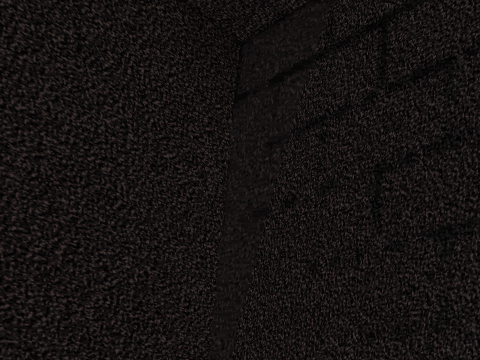
q3map2 bumpmaps are giving me a headache. This is supposed to be a brick wall test, made by combining a dark, gritty “material” texture with a bumpmap that suggests bricks. A light entity hovers invisibly nearby. As you can see, it looks like someone painted on black brick lines instead:
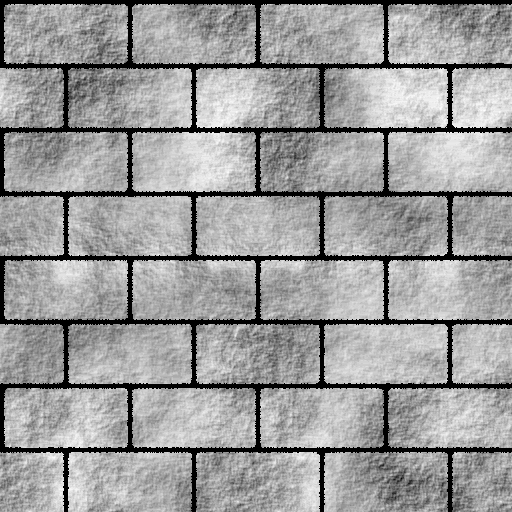
The texture (converted to gif):

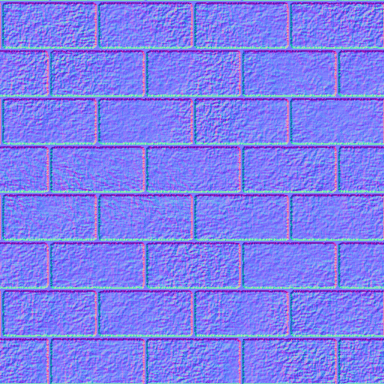
The bumpmap (likewise):
The shader:


textures/twq3tourney5/black1_brick64
{
	qer_editorimage textures/twq3tourney5/edit/black1_brick64ed.tga
	q3map_normalimage textures/twq3tourney5/resources/bump_brick128.tga
	{
		map textures/twq3tourney5/resources/black1s.tga
		rgbGen identity
	}
	{
		map $lightmap 
		blendfunc filter
		rgbGen identity
	}
}

As I understand it the dark areas should actually act like they are sunken and be lit as if they were. What seems to be happening instead is to simply treat the normalimage as an additional blendfunc filter stage. :frowning:

In case it’s significant, the whole test map has _lightmapscale 0.125 in worldspawn, so the lightmap resolution shouldn’t be too low.
(nUllSkillZ) #2

Here is a tutorial from a german mapping community side:
http://www.level-designer.de/index.php?option=content&task=view&id=1573&Itemid=30


(Twisted0n3) #3

I know the basics – I need to know the tweakage. Besides, I don’t know a word of German.


(Twisted0n3) #4

I should add that I tried a few things already with no luck. Varying the lightmap scale, using a -thresh with a small value on the light compile, and other stuff seem to have no effect; replacing the bumpmap with this:

(just in case it wants doom3 style local maps) results in it looking as though no normalmap was used at all.


(nUllSkillZ) #5

That’s the shader in the tutorial:


textures/fiesling_metal/bodengitter
{
	qer_editorimage textures/fiesling_metal/bodengitter.tga
	q3map_normalimage textures/fiesling_bump/bodengitter_fbump.tga
	surfaceparm metalsteps        

	{
		map $lightmap
		rgbGen identity
	}
	{
		map textures/fiesling_metal/bodengitter.tga
		blendFunc GL_DST_COLOR GL_ZERO
		rgbgen identity
	}
}

It differs from your shader.
To see this you don’t even know one word german.


(Twisted0n3) #6

Yeah. It uses differently-named diffuse and normal images and has surfaceparm metalsteps. Also, they spelled out the blendfunc instead of saying “blendfunc filter”. It amounts to the same basic thing.


(kamikazee) #7

Too bad Detoeni’s site currently won’t work.

He had a bumpmapping tutorial on his site as well.

What the bumpmapping does here is cast some extra shadows on a flat surface. But most of the time, the lightmaps get quite blurry and stretched so this may apply here as well. Do you have a screenshot with r_lightmap turned 1? (aka /r_lightmap 1)
You can then clearly see how q3map2 lighted your texture. Eventually you’ll need a smaller _lightscale amount on that surface to see more details of bricks.


(Twisted0n3) #8

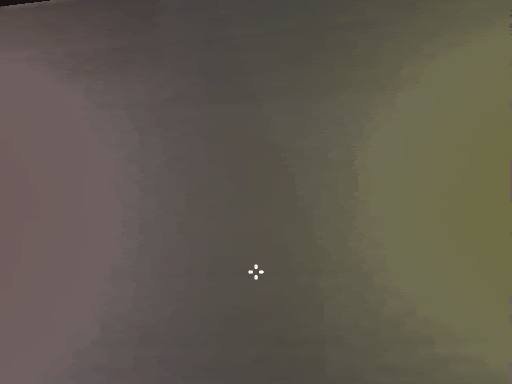
This is what I get with a flat grey diffuse. The texturing is barely even there – just a faint indentation between bricks and almost no trace of the rest.


(Detoeni) #9

Too bad Detoeni’s site currently won’t work

:angry:

That would be the page breaking adds all planet hosted sites are having to run atm.


(Twisted0n3) #10

The answer to that: get better hosting. Any host that places its advertisers’ obnoxious demands over actual readability of the site’s content is shooting itself in the foot anyway, since without usable content to attract people to the site, the advertising is worthless. Plenty of sites have ads but don’t shove them obnoxiously in your face or get so fancy with them they break the content and screw up in half the browsers (i.e. only work in IE and clobber the wrong part of the screen, obliterating content, in Opera and Firefox) or whatever, and those sites are still successful.

All you need is a banner, jpeg or (possibly animated) gif, linking to the advertised product on its seller’s home page. In fact, as Google has demonstrated, all you need is a text link. Fancy scripts that at minimum make the whole page fail to load if the ad is slow loading and usually have much nastier failure modes are simply unnecessary and annoying to everyone, and hosts that make you use such scripts are equally unnecessary and annoying.


(nUllSkillZ) #11

Hmm, side is up.
Direct link to the tutorial:
http://www.planetwolfenstein.com/detoeni/bump.htm


(Detoeni) #12

unnecessary and annoying

Hay, there just like you then!

You can work this one out your self
I ant wasting anymore time.


(Twisted0n3) #13

Er, what? Well, that makes sense. Insulting someone out of the blue because they recommend finding better hosting for a web site. Right. :stuck_out_tongue:


(Detoeni) #14

Ok lets waste a bit more time…

In this thread you have a problem with phong shading.
http://www.splashdamage.com/index.php?name=pnPHPbb2&file=viewtopic&t=12532

As we can see lots of folks go out of there way to help you, and give you all the info you need, do you listen, no. A few days latter you post the same problem again.
http://www.splashdamage.com/index.php?name=pnPHPbb2&file=viewtopic&t=12737

Then we have this thread,
http://www.splashdamage.com/index.php?name=pnPHPbb2&file=viewtopic&t=13052

You go on about some silly error, due to you using the wrong file format. Quake 3 has never supported 8/16 bit tga textures, it says this quite clearly in the manual.

Then there is this thread and the one over at map centre on the same topic, you’ve been given the info to make it work, but do you listen, do you try what’s suggested, no you just go on that you tried it your way and it don’t work.

I’v come the conclusion that what ever advise your given, you not going to listen or even try.

Your hosting comments were just the icing on the cake…


(Twisted0n3) #15

Stop derailing


(Shallow) #16

The incredible amount of irony condensed into this two-word post is so huge that there is probably a serious risk of the server imploding.


(EB) #17

@Detoeni, I have found it to be an unappreciated venture with this guy. Why should any of us donate our time and flow of knowledge to people who are unappreciative ?(…and on the verge of rude)

P.S. I saw the thread @ Map-Center and I am curious as to what the problem still is. It seems as if this was solved awhile ago.


(Detoeni) #18

The problem was simple, hes normalmap has little/no profile and hes light sample is much bigger than the normalmap pixels, so its all getting blured.

Kat over at MC pointed this out to him and got his head ripped off for his trubles…