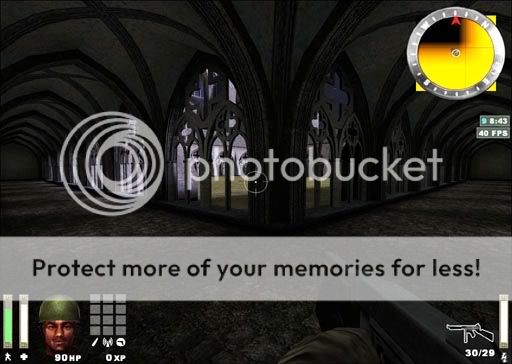
Well I suppose the arches that I’m trying to make I’ve made using the endcap method and modifying it to what I want, I’ve also used the bevel, and the square cylinder method. Unfortunately the textures with lines tend to stretch no matter if you cap it, ctrl + n (natural) it, or modify it directly in the shift + s (surface inspector). This is all with patches and they tend to stretch. I’m mostly trying to create the stone look…like this image:

If you look closely at the lines where the stones are separated…those lines stretch. I’m assuming its just a natural thing and the reason why I haven’t really seen too many people try to attempt the stones with lines in it on a curve with a patch. I can however try the method with Sock’s :
http://www.splashdamage.com/index.php?name=pnPHPbb2&file=viewtopic&p=77179&highlight=#77179
Method…but unfortunately its more difficult for me to to shape those brushes to what I need…then modify each texture at the given angle, export it as a .ase and then re-import it (cuz I’m using the noobie card). I’ve tried to apply sock’s tutorial to the arches for windows…but its a guessing game for me at this point and time. I’ve come up with some close matches in brushes but then again they start to look pretty blocky by the time I’m done. Wish there were more tutorials on this for various techniques with brushes, shaping, and such so I can get a good handle on the whole idea of it. Ah well…gonna go through and .bsp to .map some of these levels and check out their curves (via brushwork) and see if I can simulate theirs.




 I thought this feature had been there for ages :eek: No, seriously. It’s been there for ages.
 In some recent version, the patch geometry stuff was given its own dialog window, or at least the normal surface inspector included options for patch geometry. Or was there always a seperate surface inspector for patches and I just never noticed? I guess “new radiant” is a bit non-specific.