Another question ><


(Justice) #1

Excuse me for asking so many questions :frowning:

I want to rebuild a terrain, trying to copy it exact as possible. But when I use Easygen the terrain is so inaccurate.
I came to the conclusion it might be better to create the terrain myself instead of using a generator, which I prefer in the first place. But my question is, how do I texture this manually-created terrain so it blends different textures, like in Easygen?


(Avoc) #2

http://www.simonoc.com/pages/articles/terrain1_1.htm


(Justice) #3

I believe that is exactly what I’m looking for.

Thanks!! :smiley:


(Justice) #4

I’ve been testing it, but it does not seem to work for ET.

Are you sure this works?


(.Chris.) #5

Yeah it does, many maps have used this, that and the fact the tutorial was made in ET :slight_smile:

What exactly isn’t working? (pics, error messages etc)


(Justice) #6

Well at first, those sample files give an error used in ET:
ERROR: CM_LoadMap: maps/sockter_test5.bsp has wrong version number (46 should be 47)

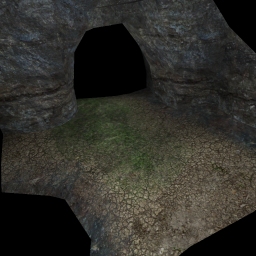
Second, when I rebuild it in radiant, using the enclosed .map files, it shows this in-game:

This is the ‘Three way blending’ map from http://www.simonoc.com/pages/articles/terrain1_5.htm

As you can see it’s all different.

I do see little difference in the textures, one is a little greener, but there is not even a blending effect. And those bars actually show up solid in-game.


(.Chris.) #7

Did you add all the shaders to the shaderlist?

Also make sure you have latest compiler, I’m not sure what the latest is (at work), the one with gtk 1.5 should work though.

Also I think the tutorial maps may have actually been made for Q3 thinking about it hence your original error, save and recompile in ET should work though, did for me when I first looked at these.


(Justice) #8

Aaaaaah thanks.

Forgot to add it to the shaderlist, it’s working now :slight_smile:


(hunterthebest) #9

Big fat nub.


(Justice) #10

That’s me :wink: